Apunkagames Official Site – Games Download For PC Apunkagames Official Site — Discover detailed PC game guides, accurate system requirements, screenshots, and verified official download links for top Windows games.
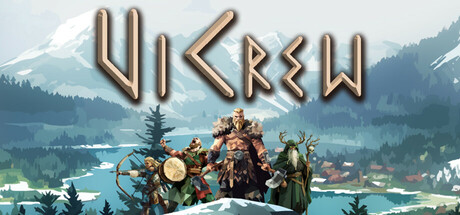
ViCrew is a tactical indie RPG developed by Matthias Denk that places players in command of a brave Viking squad sailing the dangerous open seas. In this focused strategy experience, you assemble a custom team of four distinct characters to embark on lucrative raid missions across a vast ocean. The primary objective is to seek eternal glory, plunder valuable resources, and test your tactical skills against increasingly formidable foes.
The core gameplay revolves around challenging turn-based combat where careful planning and smart synergy are vital to survival. Players can choose their party from five unique, class-based archetypes: the Warrior, Archer, Druid, Seer, and Bard. As you navigate the procedurally assembled world by ship, you will explore various randomly generated islands, unlock powerful abilities, and manage resources while deciding which high-risk shores are truly worth landing on.
High stakes define the journey, as the game incorporates a strict permadeath mechanic where fallen crew members are gone forever. This ensures that every tactical choice carries immense consequences throughout the estimated five-hour campaign. Ultimately, the title provides a compact, punishing adventure perfectly tailored for rogue-lite enthusiasts who enjoy deep character building and unforgiving strategic choices within a stylized low-poly Norse world.
Before downloading make sure that your PC meets minimum system requirements
Minimum System Requirements
- OS: Windows 10 or later (64-Bit)
- Processor: Quad-core Intel or AMD, 3 GHz
- Memory: 8 GB RAM
- Graphics: NVIDIA Geforce GTX 960
- DirectX: Version 11
- Storage: 1 GB available space
Screenshots
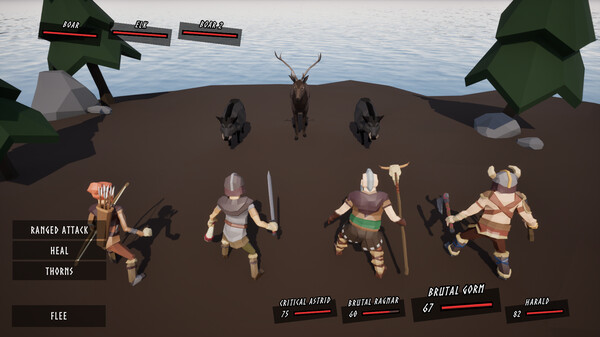
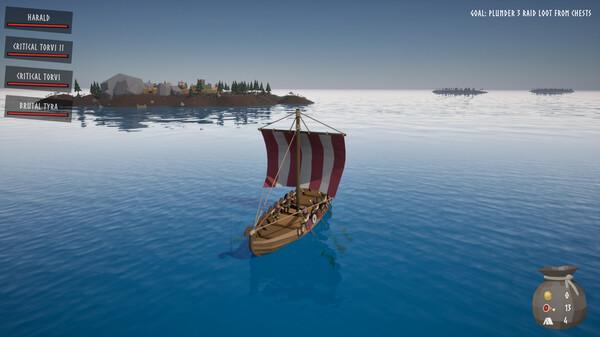
How to Install ViCrew?
- Download: Get the installer only from the official developer or a verified store.
- Run Setup: Double-click the official .exe file and follow the prompts.
- Default Path: Install to the recommended folder to ensure proper system permissions.
- Update: Run the game launcher to download any official security patches.
- Launch: Open the game via the official desktop shortcut.