Apunkagames Official Site – Games Download For PC Apunkagames Official Site — Discover detailed PC game guides, accurate system requirements, screenshots, and verified official download links for top Windows games.
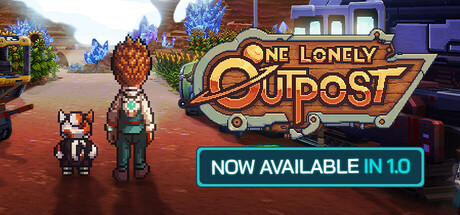
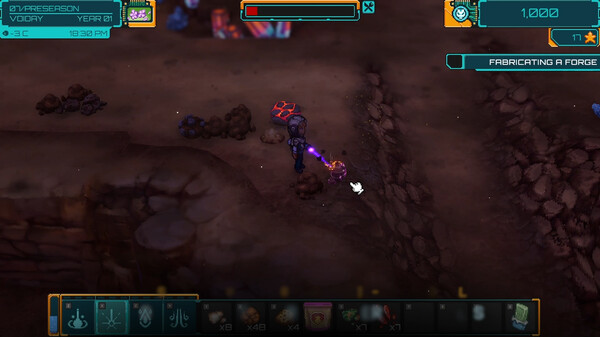
One Lonely Outpost is an innovative sci-fi farming simulation game that tasks players with bringing life to a barren, alien planet. Stranded on a desolate world with nothing but a high-tech survival kit and a robotic companion, your primary goal is to colonize the terrain and turn a dusty wasteland into a thriving, green oasis. The game masterfully blends traditional agriculture mechanics with futuristic technologies, allowing you to choose between organic farming methods or utilizing high-tech genetic splices to cultivate unique alien crops.
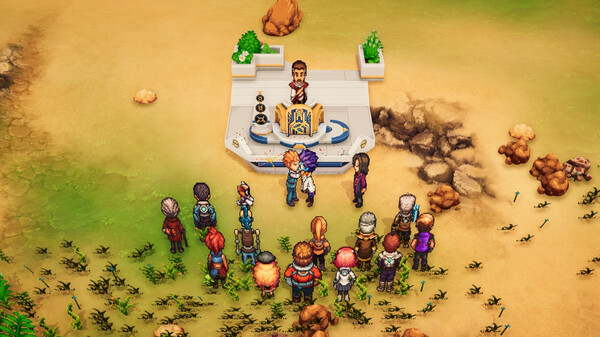
As you successfully terraform the environment, you will establish a bustling community by attracting a diverse cast of colonists to your outpost. Building relationships, trading resources, and developing infrastructure are key to transforming the solitary settlement into a vibrant town. Exploration also plays a major role, as players must venture into ancient, mysterious alien ruins to uncover long-lost secrets, discover rare technologies, and secure valuable resources necessary for the colony’s long-term survival.
Ultimately, the experience offers a fresh, cosmic twist on the beloved cozy farming genre by incorporating deep survival, crafting, and exploration elements. Players must carefully manage their oxygen levels, power grids, and water supplies while slowly altering the planet’s atmosphere to support more complex life. It provides a highly engaging, rewarding progression loop that keeps players invested as they watch a dead world slowly blossom into a beautiful, self-sustaining new home.
Before downloading make sure that your PC meets minimum system requirements
Minimum System Requirements
- OS: Windows 10
- Processor: Intel i5-4590 equivalent or greater
- Memory: 8 GB RAM
- Graphics: NVIDIA GTX 960 or AMD R9 290 or greater
- DirectX: Version 10
- Storage: 3 GB available space
Screenshots
How to Install One Lonely Outpost?
- Download: Get the installer only from the official developer or a verified store.
- Run Setup: Double-click the official .exe file and follow the prompts.
- Default Path: Install to the recommended folder to ensure proper system permissions.
- Update: Run the game launcher to download any official security patches.
- Launch: Open the game via the official desktop shortcut.