Apunkagames Official Site – Games Download For PC Apunkagames Official Site — Discover detailed PC game guides, accurate system requirements, screenshots, and verified official download links for top Windows games.
Rogue Genesia is an action roguelite shoot ’em up game developed by iPath Games that task players with fighting off massive hordes of monsters. Standing as a prominent entry in the popular “bullet heaven” subgenre popularized by titles like Vampire Survivors, the game places you in the shoes of Rog, a hero who must journey through various worlds to save them from total destruction. Players navigate through interconnected paths on a world map, choosing between combat encounters, shops, and random events as they progress.
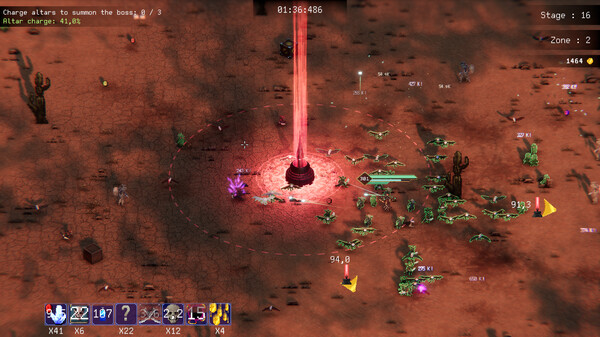
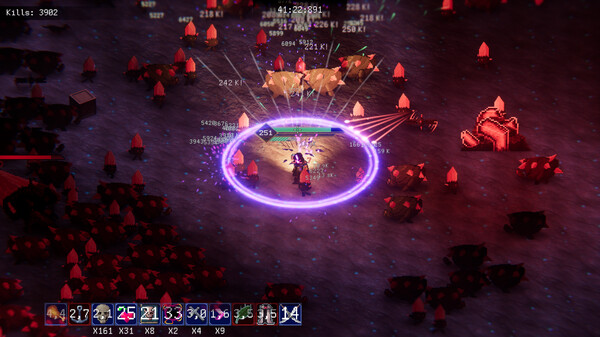
The gameplay centers on an intense loop of survival, leveling up, and build optimization. As Rog defeats thousands of enemies simultaneously flooding the screen, they drop experience gems that grant access to a vast pool of passive and active weapons. With more than 60 unique passives and weapons available, players can construct vastly different builds every run—transforming from a simple sword-wielder into a walking storm of fireballs, magical projectiles, and lightning strikes that automatically decimate the oncoming onslaught.
Beyond individual runs, the game features a deep meta-progression system that rewards persistent play. Gold earned during survival attempts can be spent in the main menu to unlock permanent stat boosts, such as increased damage, movement speed, or health regeneration. Additionally, players can unlock powerful artifacts that fundamentally change gameplay rules. With multiple difficulty levels, specialized challenge modes, and a constantly updating roster of achievements, it offers immense replay value for fans of chaotic, high-density combat.
Before downloading make sure that your PC meets minimum system requirements
Minimum System Requirements
- OS: Windows 7
- Processor: Intel i5-7200U 2.50GHz
- Memory: 8 GB RAM
- Graphics: GTX 770 / Radeon 8950 HD
- Storage: 500 MB available space
Screenshots
How to Install Rogue Genesia?
- Download: Get the installer only from the official developer or a verified store.
- Run Setup: Double-click the official .exe file and follow the prompts.
- Default Path: Install to the recommended folder to ensure proper system permissions.
- Update: Run the game launcher to download any official security patches.
- Launch: Open the game via the official desktop shortcut.