Apunkagames Official Site – Games Download For PC Apunkagames Official Site — Discover detailed PC game guides, accurate system requirements, screenshots, and verified official download links for top Windows games.
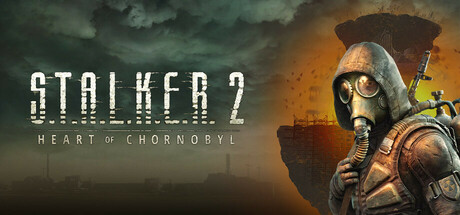
S.T.A.L.K.E.R. 2 Heart of Chornobyl is a next-generation sequel to the acclaimed survival horror franchise developed by GSC Game World. Set within the perilous and atmospheric Chornobyl Exclusion Zone, the game combines elements of a first-person shooter, immersive sim, and psychological horror. Players must navigate a seamlessly open, photorealistic post-apocalyptic world that dynamically shifts according to a non-linear narrative, ensuring a highly tense and personalized survival experience.
The core gameplay centers around surviving a harsh environment filled with deadly anomalies, terrifying mutated creatures, and hostile human factions. As a lone stalker, managing your scarce resources—such as ammunition, food, and radiation medicine—is critical to staying alive. The inclusion of an advanced life-simulation system called A-Life 2.0 allows the Zone’s inhabitants and factions to interact independently of the player, making the world feel incredibly alive and consistently unpredictable.
Beyond mechanical survival, exploration is driven by the hunt for valuable artifacts hidden within dangerous anomaly fields. Discovering these secrets can yield immense power or wealth, but every expedition risks life and limb. With its gripping story, choices that carry heavy consequences, and branching paths, this title offers an unforgiving yet deeply rewarding journey into one of gaming’s most atmospheric and haunting worlds.
Before downloading make sure that your PC meets minimum system requirements
Minimum System Requirements
- OS: Windows 10 x64 / Windows 11 x64
- Processor: Intel Core i7-7700K / AMD Ryzen 5 1600X
- Memory: 16 GB RAM
- Graphics: Nvidia GeForce GTX 1060 6GB
- Storage: 160 GB available space
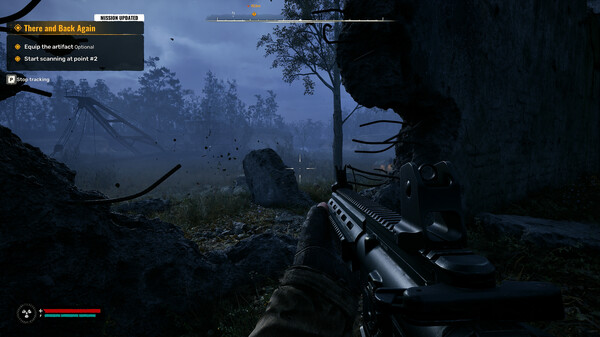
Screenshots

How to Install?
- Download: Get the installer only from the official developer or a verified store.
- Run Setup: Double-click the official .exe file and follow the prompts.
- Default Path: Install to the recommended folder to ensure proper system permissions.
- Update: Run the game launcher to download any official security patches.
- Launch: Open the game via the official desktop shortcut.