Apunkagames Official Site – Games Download For PC Apunkagames Official Site — Discover detailed PC game guides, accurate system requirements, screenshots, and verified official download links for top Windows games.
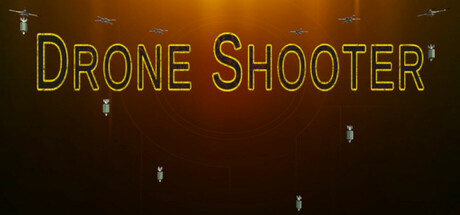
Drone Shooter is a realistic, high-stakes tower defense and action game released in March 2025. Developed and published by Butchers Bell Studio, the indie title puts players on a high-tech battlefield where they must protect a moving core from a relentless, overwhelming swarm of hostile drones. The core travels dynamically across the map, pausing its advance only to clear obstacles blocking its path forward.
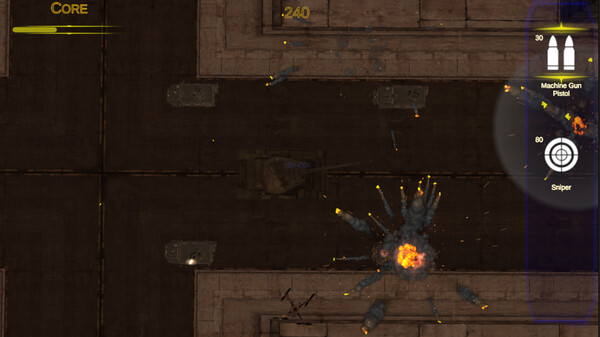
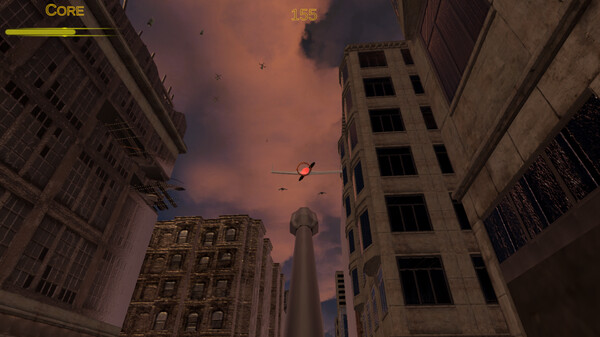
For PC players, the experience masterfully shifts between tactical planning and intense first-person action. Instead of merely setting up defense layouts and watching them fire, players must jump directly into the action by manually operating their main turrets in a responsive first-person shooter (FPS) style. Success hinges on split-second targeting choices: you must blast aggressive drones out of the sky before they can deploy their explosives, or desperately target the falling payloads mid-air before they impact the core. Gathering upgrade points allows you to permanently boost turret fire rates, raw damage, and accuracy tracking.
Visually, the game features highly detailed industrial settings and crisp particle physics. The lightweight PC setup runs beautifully on standard systems, requiring an incredibly modest 4 GB of available storage space on your hard drive or solid-state drive (SSD).
Before downloading make sure that your PC meets minimum system requirements
Minimum System Requirements
- OS: Windows 7/8/10/11
- Processor: AMD Ryzen 7 1700
- Memory: 4 GB RAM
- Graphics: GTX 960
- DirectX: Version 11
- Storage: 4 GB available space
Screenshots
How to Install Drone Shooter?
- Download: Get the installer only from the official developer or a verified store.
- Run Setup: Double-click the official .exe file and follow the prompts.
- Default Path: Install to the recommended folder to ensure proper system permissions.
- Update: Run the game launcher to download any official security patches.
- Launch: Open the game via the official desktop shortcut.