Apunkagames Official Site – Games Download For PC Apunkagames Official Site — Discover detailed PC game guides, accurate system requirements, screenshots, and verified official download links for top Windows games.
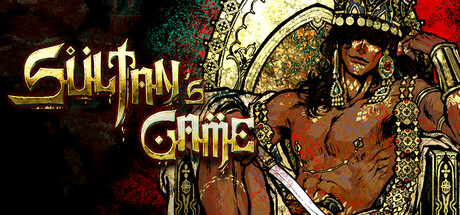
Sultan’s Game is a dark fantasy resource management role-playing game developed by Double Cross and published by 2P Games. Inspired by the decadent beauty and harsh political intrigue of the Arabian Nights, the player takes on the dangerous role of a lowly minister serving a completely mad ruler. Trapped in a terrifying court loop, your primary objective is simple yet grueling: manage to keep your head attached to your shoulders by satisfying the royal whims.
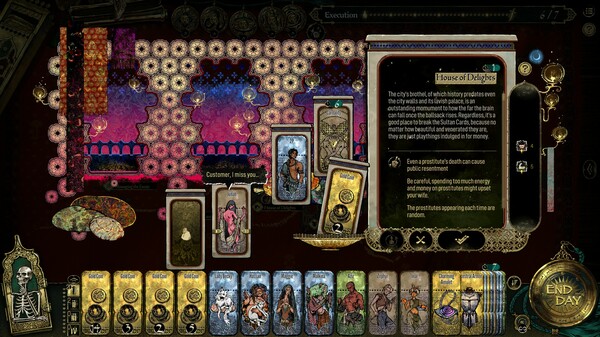
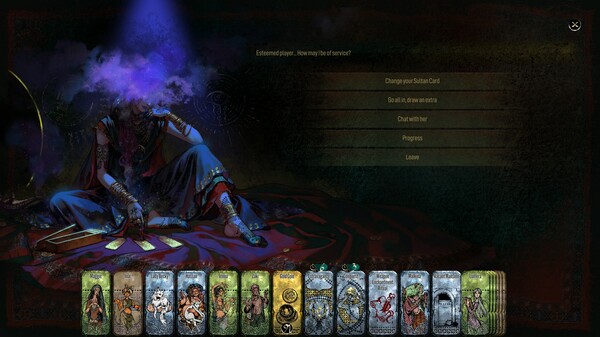
The central gameplay loop revolves around a deadly deck of cards drawn every seven days, representing the themes of Carnality, Extravagance, Conquest, or Bloodshed. You have exactly one week to fulfill the specific challenge of the drawn card, or you will face the executioner’s axe. Survival forces players to micromanage scarce resources, deploy reliable allies, uncover black-market secrets, and make truly horrific moral sacrifices, from betraying loved ones to slaughtering innocent people.
Strategy and cautious plate-spinning completely dictate your final legacy across multiple lifetimes, completely outmatching pure luck. The narrative boasts over 50 distinct endings, ranging from dying a pathetic sycophant to summoning an apocalyptic cosmic event that can bring down ancient gods. With highly positive player reception, it offers a deeply atmospheric, challenging turn-based puzzle experience that masterfully blends survival elements with complex text-driven horror.
Before downloading make sure that your PC meets minimum system requirements
Minimum System Requirements
- OS: Windows 7/8
- Processor: i5-3570K
- Memory: 1 GB RAM
- Graphics: GTX 560
- Storage: 3 GB available space
Screenshots
How to Install Sultan’s Game?
- Download: Get the installer only from the official developer or a verified store.
- Run Setup: Double-click the official .exe file and follow the prompts.
- Default Path: Install to the recommended folder to ensure proper system permissions.
- Update: Run the game launcher to download any official security patches.
- Launch: Open the game via the official desktop shortcut.