Apunkagames Official Site – Games Download For PC ApunKaGames is a best website to download games for PC.
Table of Contents
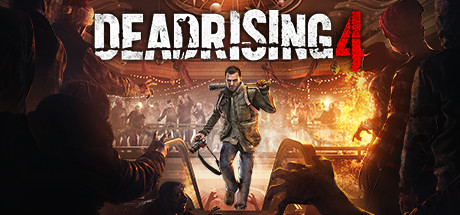
Dead Rising 4 brings players back to the zombie-infested town of Willamette, Colorado, marking the return of the franchise’s original protagonist, photojournalist Frank West. Developed by Capcom, this open-world sandbox game unfolds during the chaotic holiday season, turning a festive Christmas backdrop into a brutal battleground for survival. Players must navigate a massive shopping mall and the surrounding city streets while investigating a fresh, mysterious outbreak of the undead.
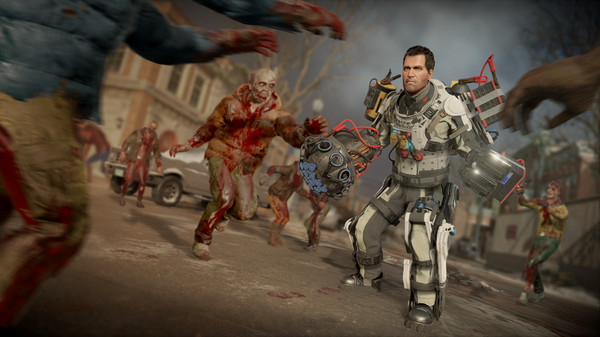
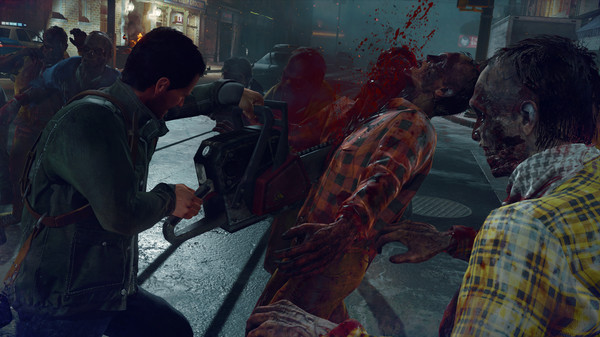
The core gameplay centers around over-the-top action and creative carnage. Players can craft an outrageous array of combination weapons and motorized vehicles, turning everyday mall items into tools of mass destruction. A notable addition to this installment is the inclusion of military-grade EXO Suits, which grant Frank superhuman strength and firepower to tear through massive hordes. Additionally, the sandbox features new zombie classes that challenge players to adapt their combat strategies dynamically.
On Steam, the game maintains a mixed reception from the community. While newcomers often praise the accessible gameplay mechanics, casual zombie-slaying fun, and the seasonal holiday atmosphere, long-time fans of the series frequently critique the design shifts. The removal of the strict, traditional countdown timer and a simplified survivor rescue system make this entry significantly different from its predecessors, prioritizing pure sandbox experimentation over tense time management.
Before downloading make sure that your PC meets minimum system requirements
Minimum System Requirements
- OS: Windows 7/8/10/11 64-bit
- Processor: Intel i5-2400 or AMD FX 6300
- Memory: 6 GB RAM
- Graphics: NVIDIA GeForce GTX 760
- DirectX: Version 11
- Network: Broadband Internet connection
- Storage: 50 GB available space
Screenshots
How to Install Dead Rising 4?
- Download: Get the installer only from the official developer or a verified store.
- Run Setup: Double-click the official .exe file and follow the prompts.
- Default Path: Install to the recommended folder to ensure proper system permissions.
- Update: Run the game launcher to download any official security patches.
- Launch: Open the game via the official desktop shortcut.