Apunkagames Official Site – Games Download For PC Apunkagames Official Site — Discover detailed PC game guides, accurate system requirements, screenshots, and verified official download links for top Windows games.
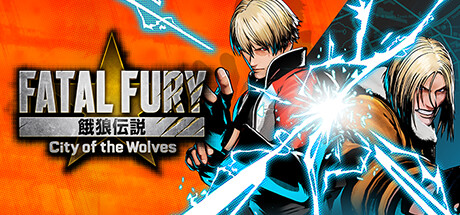
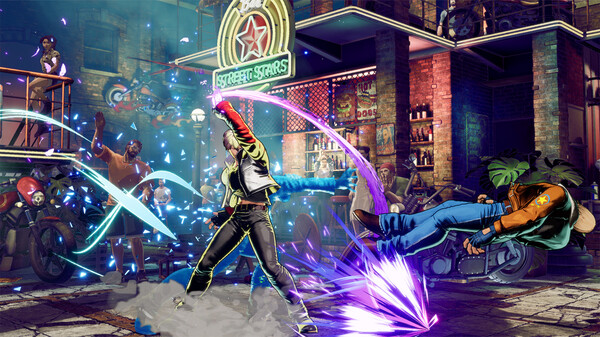
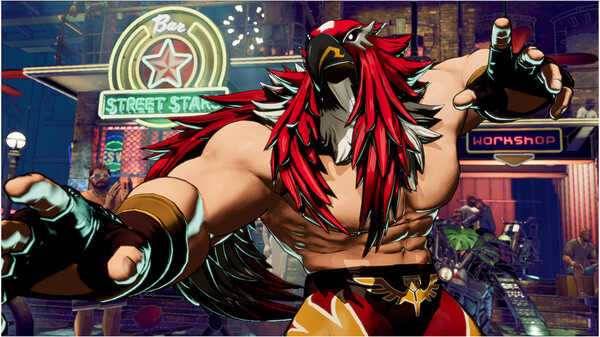
FATAL FURY City of the Wolves marks the highly anticipated return of SNK’s iconic fighting game franchise after a twenty-six-year hiatus. Serving as the direct sequel to the beloved 1999 classic Garou: Mark of the Wolves, this entry brings players back to the gritty, neon-soaked streets of South Town. The game features a striking artistic direction that blends a unique comic-book style with modern 3D graphics, effectively capturing the high-energy spirit of the original series while delivering a visually fresh experience for contemporary fighting game fans.
At the core of its gameplay is the innovative REV System, a suite of offensive mechanics that changes how matches are played. From the moment the round begins, players can access powerful options like REV Arts, REV Accel, and REV Blows, which offer devastating combative advantages. However, utilizing these mechanics builds up a specialized meter that can cause the player to overheat if mismanaged, adding a deep layer of tactical risk and reward. Classic mechanics from the series’ history, such as Combination Attacks, Just Defended, and Braking, also make a triumphant return.
Designed to be accessible to newcomers while remaining deep for veterans, the title introduces a dual control scheme consisting of traditional arcade inputs and a simplified smart style. The roster brings together fan-favorite legacy fighters alongside entirely new faces, each participating in an evolving narrative centered around South Town’s legendary martial arts tournament. With robust online features, including rollback netcode, it stands as a faithful yet modern evolution of a classic legacy.
Before downloading make sure that your PC meets minimum system requirements
Minimum System Requirements
- OS: Windows 10
- Processor: Intel Core i5-7500 / AMD Ryzen 3 1200
- Memory: 8 GB RAM
- Graphics: GTX1060 (VRAM 6GB) / Radeon RX 580 (VRAM 4GB)
- DirectX: Version 12
- Storage: 60 GB available space
Screenshots
How to Install FATAL FURY City of the Wolves?
- Download: Get the installer only from the official developer or a verified store.
- Run Setup: Double-click the official .exe file and follow the prompts.
- Default Path: Install to the recommended folder to ensure proper system permissions.
- Update: Run the game launcher to download any official security patches.
- Launch: Open the game via the official desktop shortcut.