Apunkagames Official Site – Games Download For PC Apunkagames Official Site — Discover detailed PC game guides, accurate system requirements, screenshots, and verified official download links for top Windows games.
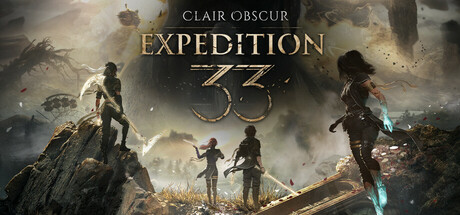
Clair Obscur Expedition 33 is an innovative turn-based RPG developed by Sandfall Interactive and published by Kepler Interactive. Set in a breathtaking fantasy world inspired by Belle Époque France, the game presents a dark, high-stakes narrative driven by a unique premise. Every year, a mysterious figure known as the Paintress wakes up and paints a cursed number on a massive monolith, causing everyone of that age to immediately turn to smoke and vanish forever.
The story follows Gustave, Maelle, and their fellow expeditioners as the Paintress prepares to paint the number thirty-three. With only one year left to live, this brave group forms Expedition 33, embarking on a final, desperate quest to find and destroy the Paintress before she can erase yet another generation. Along their journey, players explore beautiful, surreal landscapes, trace the tragic footsteps of past failed expeditions, and unravel the secrets of the world map.
Combat in the game beautifully evolves traditional JRPG mechanics by blending strategic turn-based commands with real-time action elements. Players must master specific attack rhythms to chain powerful combos, use a free-aim system to target enemy weak points, and actively dodge, counter, or parry incoming enemy strikes in real time. Built beautifully on Unreal Engine 5, the game delivers an unforgettable experience complete with stunning, clean visuals and a deeply moving soundtrack.
Before downloading make sure that your PC meets minimum system requirements
Minimum System Requirements
- OS: Windows 10 / 11
- Processor: Intel Core i7-8700K / AMD Ryzen 5 1600X
- Memory: 8 GB RAM
- Graphics: NVIDIA GeForce GTX 1060 6 GB
- DirectX: Version 12
- Storage: 55 GB available space
Screenshots
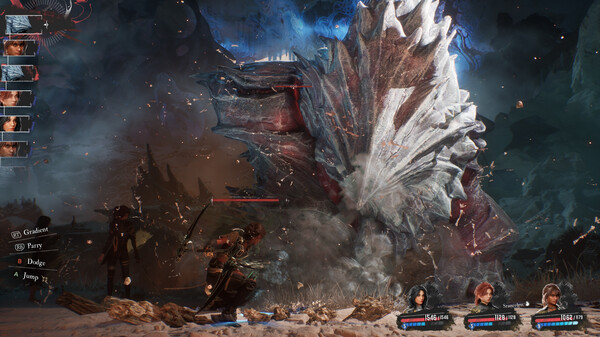
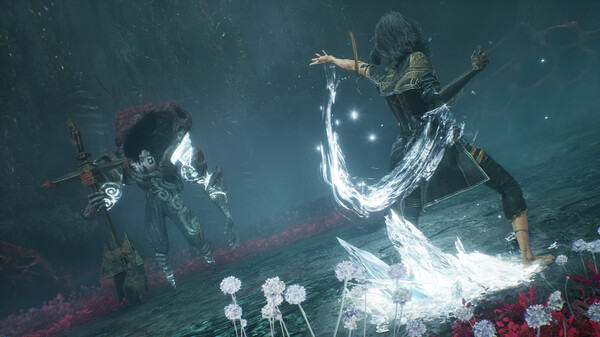
How to Install Clair Obscur Expedition 33?
- Download: Get the installer only from the official developer or a verified store.
- Run Setup: Double-click the official .exe file and follow the prompts.
- Default Path: Install to the recommended folder to ensure proper system permissions.
- Update: Run the game launcher to download any official security patches.
- Launch: Open the game via the official desktop shortcut.