Apunkagames Official Site – Games Download For PC Apunkagames Official Site — Discover detailed PC game guides, accurate system requirements, screenshots, and verified official download links for top Windows games.
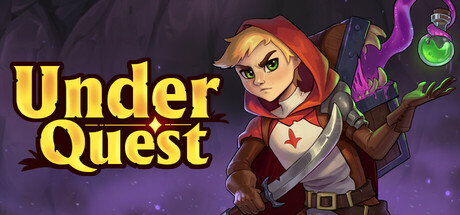
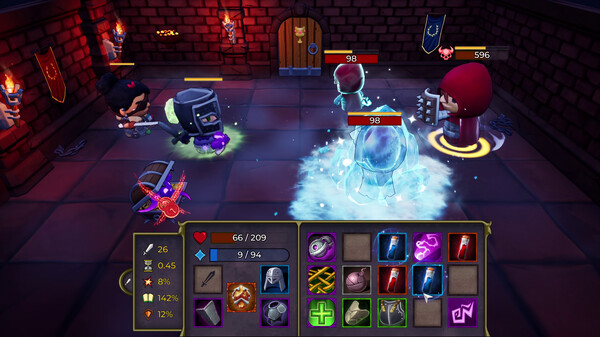
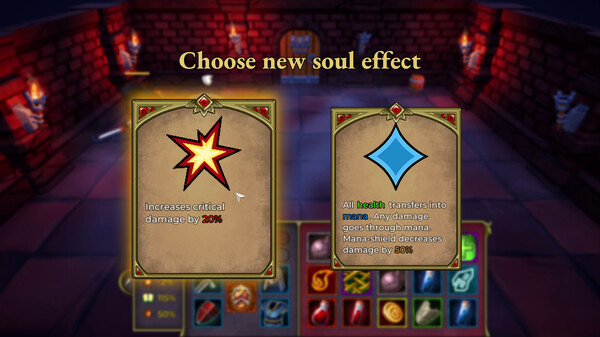
Underquest is a fantasy story-driven roguelite adventure game developed by Otherside Bay Studio that injects chaotic, real-time inventory management into tactical dungeon crawling. Set within the mysterious Underkingdom, players guide a hero through randomly generated dungeons filled with unique enemies, tactical events, and three challenging boss fights. The core gameplay revolves around a unique spell-combining puzzle mechanic; the inventory is continuously replenished during fast-paced, automated combat, forcing players to quickly sort, dismantle, or merge elemental sigils and items to create powerful skills and protective barriers on the fly.
Outside of combat, your hero can equip armor, modifiers, and passive gear to cultivate distinct builds. Between tense dungeon runs, players retreat to an underground tavern to interact with five distinct characters, uncover the lore of the underground clans, and unlock permanent perks via a progression system.
Featuring a cute, chibi-inspired art style, the title successfully blends resource organization with fast reaction times, requiring players to actively intercept incoming projectiles and target high-threat enemies. For fans of strategic rogue-likes who enjoy frantic organization under pressure, this compact indie title offers an engaging and creative mechanical foundation.
Before downloading make sure that your PC meets minimum system requirements
Minimum System Requirements
- OS: Windows 7/10/11
- Processor: Intel or AMD processor, 2 GHz
- Memory: 2 GB RAM
- Graphics: 1Gb Video Memory DX11 capable
- DirectX: Version 11
- Storage: 1 GB available space
Screenshots
How to Install Underquest?
- Download: Get the installer only from the official developer or a verified store.
- Run Setup: Double-click the official .exe file and follow the prompts.
- Default Path: Install to the recommended folder to ensure proper system permissions.
- Update: Run the game launcher to download any official security patches.
- Launch: Open the game via the official desktop shortcut.