Apunkagames Official Site – Games Download For PC Apunkagames Official Site — Discover detailed PC game guides, accurate system requirements, screenshots, and verified official download links for top Windows games.
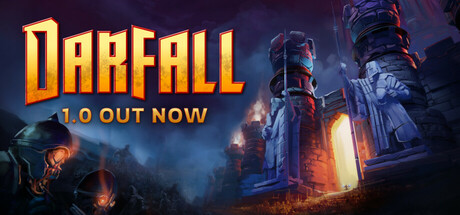
Darfall is a hero-based strategy and city-building game developed by SquareNite and published under the Paradox Arc label. Released in May 2025, the game masterfully blends elements of classic real-time strategy (RTS) games like Warcraft with modern survival colony sims.
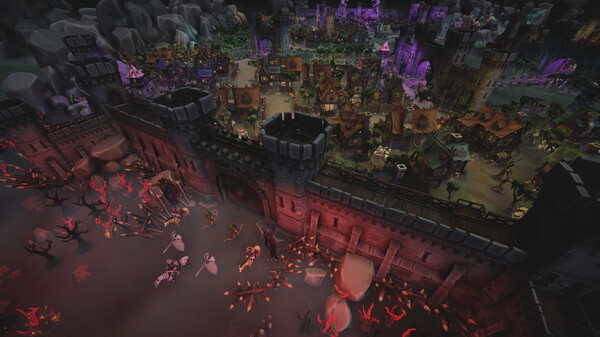
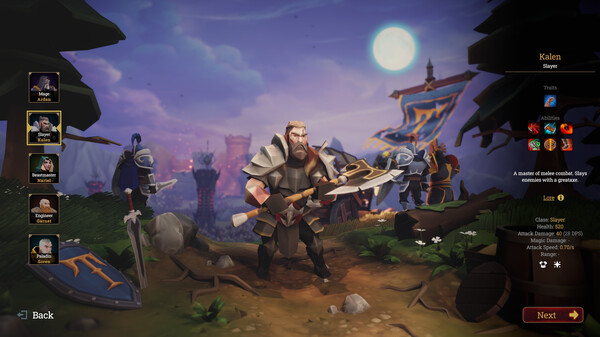
The core gameplay centers around a tense day-and-night cycle. During the daytime, players must explore the surrounding lands of Aganor, gather vital resources, craft item upgrades, and fortify their settlement. Simultaneously, you level up powerful, legendary heroes—such as wizards and warriors—arming them with epic loot and unique abilities discovered across the map. When night falls, the game shifts to intense defense as massive waves of undead enemies launch an assault on your base.
Darfall features a structured story campaign, a challenging survival mode for testing endurance against escalating threats, and a robust in-game map editor for user-generated scenarios. Despite receiving “Mostly Positive” reviews for its engaging progression loops, fun hero mechanics, and nostalgic RTS feel, recent player feedback notes that post-launch content updates have slowed down. Overall, it delivers a satisfying, atmospheric balance of resource management, tactical combat, and tower defense mechanics.
Before downloading make sure that your PC meets minimum system requirements
Minimum System Requirements
- OS: Windows 10,11 64 bit
- Processor: Intel Core i5-6400 / AMD Ryzen 3 1200
- Memory: 8 GB RAM
- Graphics: GTX 950 / AMD Radeon RX 460
- DirectX: Version 11
- Storage: 4 GB available space
- Sound Card: DirectX 11 compatible
Screenshots
How to Install Darfall?
- Download: Get the installer only from the official developer or a verified store.
- Run Setup: Double-click the official .exe file and follow the prompts.
- Default Path: Install to the recommended folder to ensure proper system permissions.
- Update: Run the game launcher to download any official security patches.
- Launch: Open the game via the official desktop shortcut.