Apunkagames Official Site – Games Download For PC Apunkagames Official Site — Discover detailed PC game guides, accurate system requirements, screenshots, and verified official download links for top Windows games.
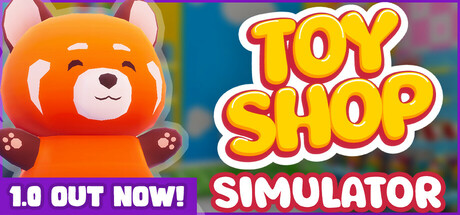
Toy Shop Simulator is an immersive, first-person business management game developed and published by PaperPixel Games. Released in May 2025, the title places players directly behind the counter of their own retail storefront, challenging them to transform a modest startup into a bustling toy empire.
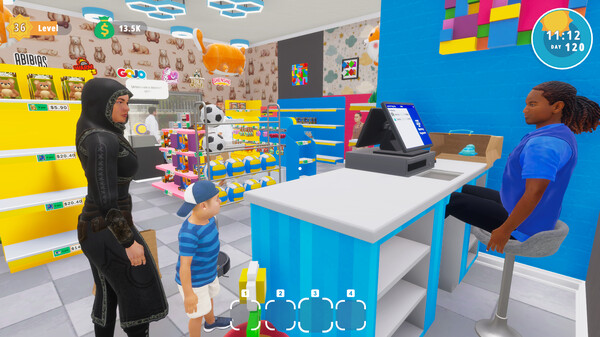
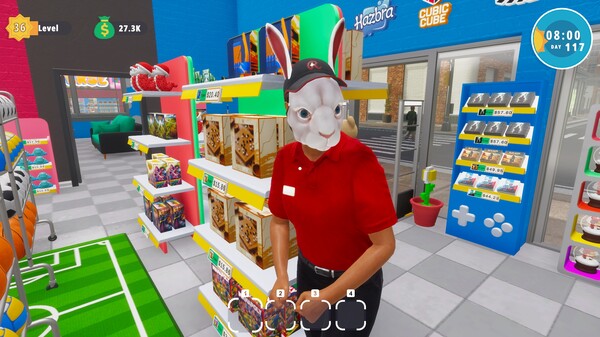
The gameplay loop emphasizes tactile interaction over abstract spreadsheets. Players physically unpack shipments, organize shelves, optimize store layouts, and process customer transactions at the register. To maximize revenue, managers must buy licenses from top brands to stock a wide variety of inventory, ranging from common plushies to legendary rare toys with special traits. Growth introduces complex operations, including a warehouse management system, hiring staff to automate checkouts, and utilizing a Cleaning Bot to maintain tidy aisles.
Expanding past the retail floor, players handle online orders and personally complete time-sensitive deliveries across a vibrant city using a scooter. The simulation introduces unexpected dynamic elements like random events, banking systems, rival store challenges, and shoplifters that require active security monitoring. With a casual yet rewarding progression loop, the game successfully balances cozy, relaxing mechanics with strategic business development, allowing players to build a personalized, magical shopping destination.
Before downloading make sure that your PC meets minimum system requirements
Minimum System Requirements
- OS: Windows (64-bit) 10
- Processor: i5 3550 / RYZEN 5 2500X
- Memory: 4 GB RAM
- Graphics: NVIDIA GTX 1050 / AMD R9 270X
- DirectX: Version 11
- Storage: 5 GB available space
Screenshots
How to Install Toy Shop Simulator?
- Download: Get the installer only from the official developer or a verified store.
- Run Setup: Double-click the official .exe file and follow the prompts.
- Default Path: Install to the recommended folder to ensure proper system permissions.
- Update: Run the game launcher to download any official security patches.
- Launch: Open the game via the official desktop shortcut.