Apunkagames Official Site – Games Download For PC Apunkagames Official Site — Discover detailed PC game guides, accurate system requirements, screenshots, and verified official download links for top Windows games.
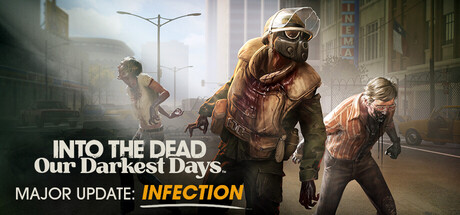
Into the Dead Our Darkest Days is an upcoming, highly anticipated side-scrolling survival game developed and published by Pikpok. Shifting the series’ established first-person runner roots into a deep, tactical side-scrolling perspective, the narrative transports players to the year 1980 in Walton City, Texas—a bustling coastal metropolis suddenly brought to its knees by a catastrophic, fast-spreading zombie outbreak.
For PC players, the core gameplay loop focuses on a desperate struggle for survival, requiring you to guide a fragile group of ordinary citizens through an oppressive urban nightmare. The mechanics beautifully blend intense scavenger hunts with deep base management. You must move from one crumbling shelter to the next, planning tactical supply runs to gather food, medicine, and weapons while constantly avoiding or fighting off hordes of the undead.
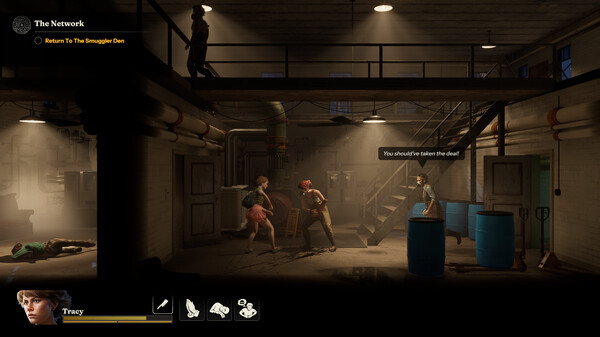
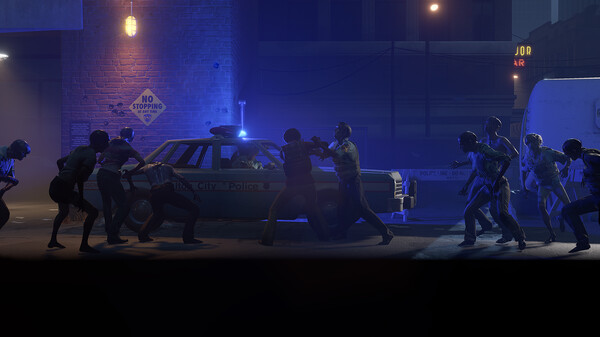
Every choice carries immense weight; you must manage your survivors’ physical needs, emotional trauma, and psychological stress while fortifying hideouts against constant threats. Visually, the game features a gorgeous yet grim 2.5D aesthetic filled with atmospheric fog, dynamic lighting, and detailed period-accurate 1980s urban decay. The complete digital installation will require 15 GB of available storage space on your hard drive or solid-state drive (SSD) to deploy into the quarantine zone.
Before downloading make sure that your PC meets minimum system requirements
Minimum System Requirements
- OS: Windows 10 / 11
- Processor: Intel i5-4460 / AMD FX-8350
- Memory: 8 GB RAM
- Graphics: NVIDIA GeForce GTX 960 2GB
- DirectX: Version 11
Screenshots
How to Install Into the Dead Our Darkest Days?
- Download: Get the installer only from the official developer or a verified store.
- Run Setup: Double-click the official .exe file and follow the prompts.
- Default Path: Install to the recommended folder to ensure proper system permissions.
- Update: Run the game launcher to download any official security patches.
- Launch: Open the game via the official desktop shortcut.