Apunkagames Official Site – Games Download For PC Apunkagames Official Site — Discover detailed PC game guides, accurate system requirements, screenshots, and verified official download links for top Windows games.

Luto is an intense, first-person psychological horror experience developed by Broken Bird Games that masterfully translates the paralyzing emotions of grief, anxiety, and depression into a terrifying digital landscape. The narrative places you in the shoes of an individual trapped inside their own seemingly ordinary home, completely unable to cross the threshold and leave. As you desperately attempt to escape, the domestic space distorts and shifts, transforming a once-familiar environment into a surreal, nightmarish labyrinth that reflects the protagonist’s fractured mental state.
For PC players, the core gameplay loop focuses entirely on atmosphere, environmental puzzle-solving, and immersive exploration rather than traditional combat or action. Heavily inspired by the legendary P.T., Luto relies on creeping psychological dread, subtle environmental storytelling, and clever spatial manipulation. Hallways loop seamlessly, doorways suddenly disappear behind you, and unsettling, sheet-clad apparitions stalk you through the claustrophobic corridors.
Visually, the game utilizes stunning photorealistic graphics and dynamic lighting to create a profound sense of unease. The incredibly detailed, mundane household setting makes the gradual descent into surreal terror all the more impactful, delivering an emotionally heavy and deeply unsettling journey through the darkest corners of the human mind.
Before downloading make sure that your PC meets minimum system requirements
Minimum System Requirements
- OS: Windows 10/11 64 bits
- Processor: Intel Core i5 4690 | AMD Ryzen 3 1200
- Memory: 8 GB RAM
- Graphics: NVIDIA GeForce GTX 1060 6GB
- DirectX: Version 12
- Storage: 22 GB available space
Screenshots
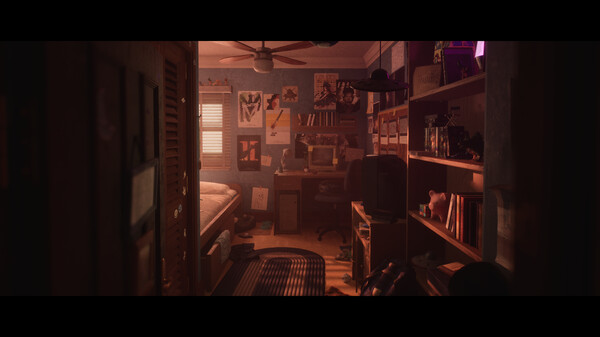
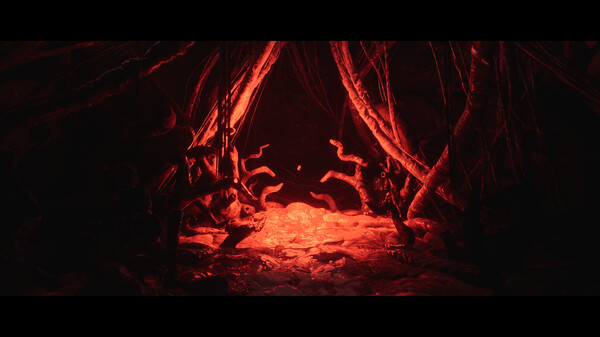
How to Install Luto?
- Download: Get the installer only from the official developer or a verified store.
- Run Setup: Double-click the official .exe file and follow the prompts.
- Default Path: Install to the recommended folder to ensure proper system permissions.
- Update: Run the game launcher to download any official security patches.
- Launch: Open the game via the official desktop shortcut.