Apunkagames Official Site – Games Download For PC Apunkagames Official Site — Discover detailed PC game guides, accurate system requirements, screenshots, and verified official download links for top Windows games.
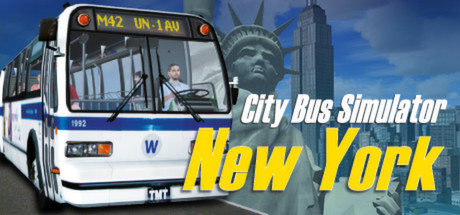
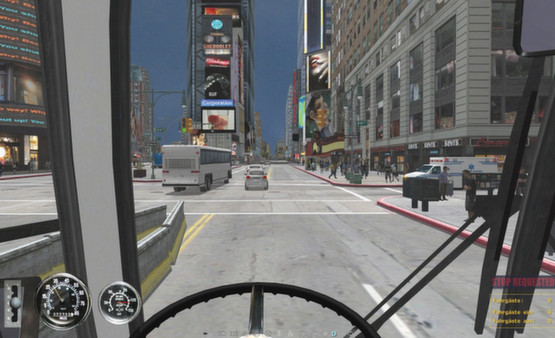
New York Bus Simulator (originally released as The Bus-Simulator New York or City Bus Simulator 2010) is a highly detailed public transit simulation game that places you in the driver’s seat of a massive city bus. Developed by TML-Studios, the game centers around the iconic M42 bus route, meticulously recreating the sprawling, high-traffic landscape of Manhattan, including world-famous landmarks like Times Square, the Chrysler Building, and Grand Central Terminal.
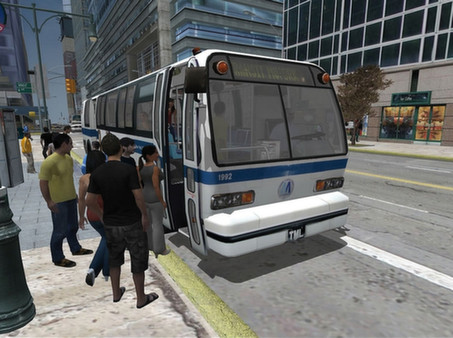
For PC players, the gameplay emphasizes strict operational realism and adherence to tight schedules. You don’t just steer; you are fully responsible for operating the complex dashboard controls, deploying the wheelchair ramp, managing a digital ticketing terminal, and operating the pneumatic doors. Navigating the tightly packed streets requires intense focus, as you must dodge aggressive artificial intelligence traffic, handle unexpected road construction bottlenecks, and manage dynamic weather conditions while ensuring passenger comfort.
The technical presentation features realistic vehicle physics, an interactive 3D cockpit layout, and authentic sound engineering captured directly from real-world transit buses. The complete digital installation is exceptionally lightweight on modern hardware, requiring just 5 GB of available storage space on your hard drive or solid-state drive (SSD) to start your shift on the streets of Manhattan.
Before downloading make sure that your PC meets minimum system requirements
Minimum System Requirements
- OS: Windows 7
- Processor: Dual Core, 2.6 GHz or faster
- Memory: 2 GB RAM
- Graphics: GeForce or comparable AMD with minimum 512 MB
- DirectX: Version 9.0c
- Storage: 4 GB available space
Screenshots
How to Install New York Bus Simulator?
- Download: Get the installer only from the official developer or a verified store.
- Run Setup: Double-click the official .exe file and follow the prompts.
- Default Path: Install to the recommended folder to ensure proper system permissions.
- Update: Run the game launcher to download any official security patches.
- Launch: Open the game via the official desktop shortcut.