Apunkagames Official Site – Games Download For PC Apunkagames Official Site — Discover detailed PC game guides, accurate system requirements, screenshots, and verified official download links for top Windows games.

Tiny Bookshop is an enchanting, ambient narrative management game released in August 2025 that invites players to leave the stress of daily life behind. Developed by Neoludic Games, the story follows your journey as you pack up a mobile, second-hand bookstore trailer and head out to the charming, fictional seaside town of Bookstonbury-by-the-Sea to connect with a quirky cast of local residents.
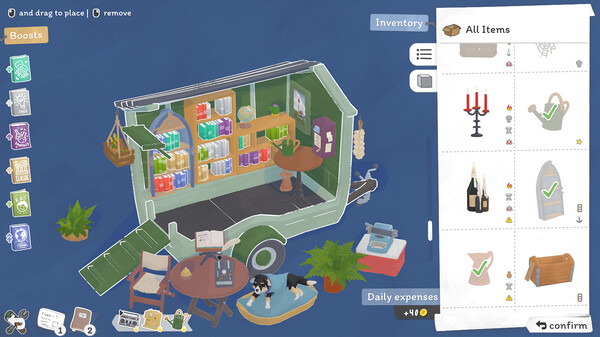
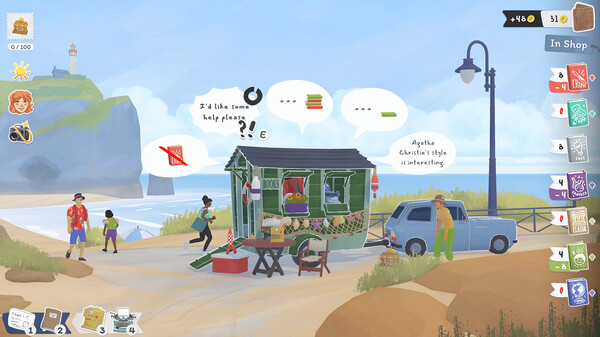
For PC players, the core gameplay loop elegantly balances a cozy, relaxing atmosphere with light trading simulation mechanics. Each morning starts with inventory management: you select which genres to stock on your shelves—ranging from classics and fantasy to crime and factual books—before driving your trailer to various scenic coastal locations. Success relies on learning local demographic preferences, as different spots attract distinct clienteles. Throughout the day, you manually interact with customers, offer personalized literary recommendations, and use earned funds to buy new stock or acquire unique decorations like plants and candles, which directly boost your sales parameters.
Visually, the game features a gorgeous, hand-drawn art style paired with a soothing, lo-fi acoustic soundtrack that enhances its low-stress environment. The digital installation is exceptionally lightweight, requiring only 2 GB of available storage space on your hard drive or solid-state drive (SSD) to begin your seaside bookselling journey.
Before downloading make sure that your PC meets minimum system requirements
Minimum System Requirements
- OS: Windows 7 or newer
- Processor: Intel Core i5-7360U or better
- Memory: 8 GB RAM
- Graphics: Intel UHD 630 or Better
- Storage: 2 GB available space
Screenshots
How to Install Tiny Bookshop?
- Download: Get the installer only from the official developer or a verified store.
- Run Setup: Double-click the official .exe file and follow the prompts.
- Default Path: Install to the recommended folder to ensure proper system permissions.
- Update: Run the game launcher to download any official security patches.
- Launch: Open the game via the official desktop shortcut.