Apunkagames Official Site – Games Download For PC Apunkagames Official Site — Discover detailed PC game guides, accurate system requirements, screenshots, and verified official download links for top Windows games.

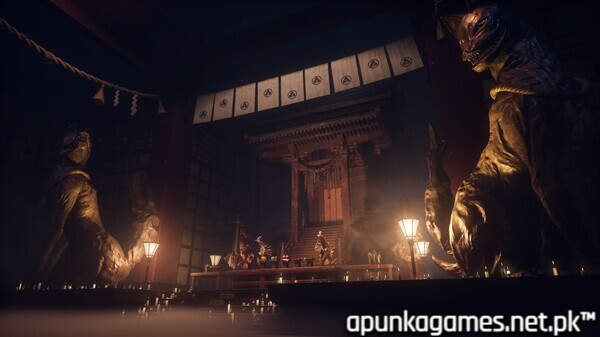
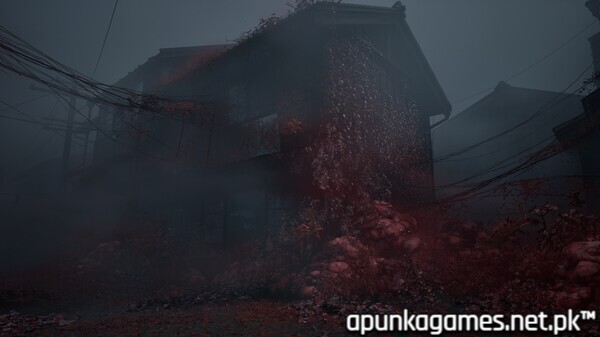
Silent Hill f represents a bold, atmospheric evolution for the legendary horror franchise, marking its first major narrative venture into 1960s Japan. Developed by NeoBards Entertainment and written by the acclaimed Ryūkishi07—famed for his deeply unsettling psychological horror visual novels—the game promises a haunting departure from the series’ traditional American industrial settings. While specific plot details remain shrouded in mystery, the aesthetic shifts toward rural, nature-obsessed horror, blending traditional Japanese architecture and folk imagery with the series’ signature psychological dread and visceral transformations.
The gameplay trailer showcases a haunting visual identity defined by organic decay, where vibrant but suffocating floral growth replaces the metallic rust typically associated with the “Otherworld.” This new manifestation of horror appears to focus on botanical infestation, suggesting a more claustrophobic, surreal experience that leans heavily into the Japanese folk-horror tradition. By moving the timeline to the mid-20th century, the title aims to deliver a fresh perspective on the trauma-inflicted narratives that define the franchise, utilizing a new engine to render high-fidelity, dreamlike, and often grotesque environmental assets. It stands as one of the most anticipated entries in the series, aiming to revitalize the psychological depth that made the original titles iconic while introducing a disturbing, nature-inspired visual language to the genre.
Before downloading make sure that your PC meets minimum system requirements
Minimum System Requirements
- OS: Windows 10 / 11 x64
- Processor: Intel Core i5-8400 / AMD Ryzen 5 2600
- Memory: 16 GB RAM
- Graphics: NVIDIA® GeForce® GTX 1070 Ti
- DirectX: Version 12
- Storage: 50 GB available space
Screenshots
How to Install SILENT HILL F?
- Download: Get the installer only from the official developer or a verified store.
- Run Setup: Double-click the official .exe file and follow the prompts.
- Default Path: Install to the recommended folder to ensure proper system permissions.
- Update: Run the game launcher to download any official security patches.
- Launch: Open the game via the official desktop shortcut.