Apunkagames Official Site – Games Download For PC Apunkagames Official Site — Discover detailed PC game guides, accurate system requirements, screenshots, and verified official download links for top Windows games.
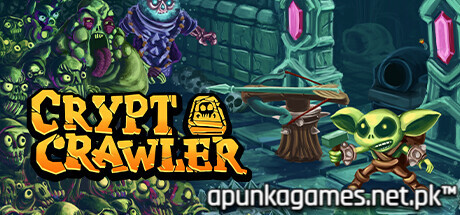
Crypt Crawler is an indie strategy title released in September 2025 that delivers a unique twist on classic fantasy tropes. Developed and published by Wild Domain, the narrative sets in after the realm’s legendary heroes have completely fallen to the forces of darkness. With the gate to the Underworld ripped wide open, all remaining hope rests entirely on an unlikely protagonist: a clever, resourceful little goblin tinker determined to seal the breach.
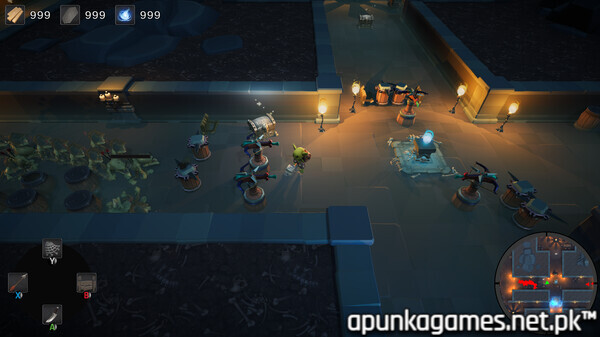
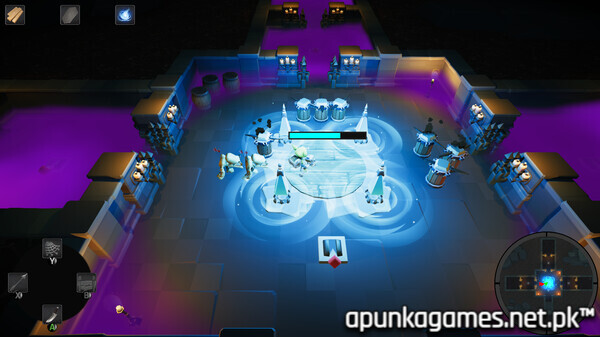
For PC players, the gameplay beautifully fuses top-down rogue-lite dungeon crawling with real-time tower defense mechanics. You must actively descend through 16 devilishly hand-crafted, monster-filled subterranean levels. The core mechanical loop forces you to actively harvest localized resources and hunt down hidden blueprint schematics mid-run, allowing you to build and upgrade an array of defensive traps and automated towers. These mechanical assets slice, zap, and explode the relentless undead hordes before they can overwhelm your position.
The game fully supports solo play as well as chaotic 2-to-4 player local shared-screen co-op, supplemented by procedurally generated arena modes for infinite replayability. This lightweight strategy title runs flawlessly on the Unity engine, requiring an incredibly accessible 1.5 GB of available storage space to deploy.
Before downloading make sure that your PC meets minimum system requirements
Minimum System Requirements
- OS: Windows 10 / 11
- Processor: 2.4 GHz Dual Core
- Memory: 4 GB RAM
- Graphics: 512 MB NVIDIA GeForce 9800
- DirectX: Version 9.0
- Storage: 1460 MB available space
Screenshots
How to Install Crypt Crawler?
- Download: Get the installer only from the official developer or a verified store.
- Run Setup: Double-click the official .exe file and follow the prompts.
- Default Path: Install to the recommended folder to ensure proper system permissions.
- Update: Run the game launcher to download any official security patches.
- Launch: Open the game via the official desktop shortcut.