Apunkagames Official Site – Games Download For PC Apunkagames Official Site — Discover detailed PC game guides, accurate system requirements, screenshots, and verified official download links for top Windows games.

Letters of War is a poignant, historical 2D adventure game released in September 2025 that serves as a spiritual successor to the acclaimed Valiant Hearts: The Great War. Developed by Wood Cabin Games and inspired by the real-world experiences of the creator’s grandmother, the narrative frames the immense tragedy of World War II through the intimate lens of a single fractured family. Players alternate perspectives between Liam, a British carpenter serving on the dangerous frontlines with the 8th British Army, and his young daughter Rosie, who is navigating loneliness and survival on the home front in England.
For PC players, the gameplay balances linear, side-scrolling exploration with a variety of interactive narrative elements. You tackle high-stakes escape sequences, dodge incoming artillery fire, and engage in tactical minigames like throwing grenades or dismantling tripwires. Conversely, Rosie’s segments offer a quieter, cozy loop of household chores, fetch quests, and writing the vital wartime letters that bridge her destiny with her father’s.
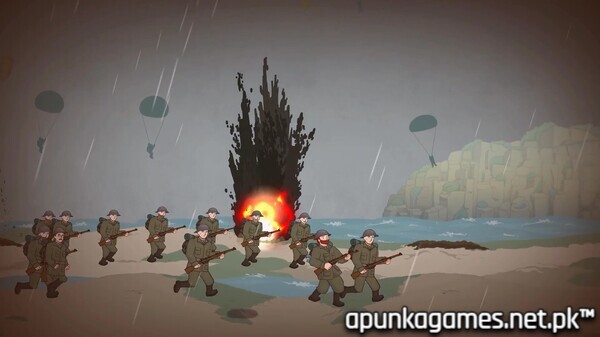
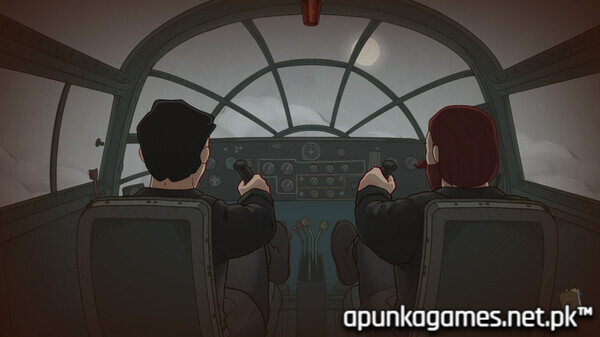
Visually, the title features a polished, colorful comic-book art style with meticulously detailed backgrounds depicting historic Western Front battlefields like Monte Cassino and Sword Beach. The lightweight digital installation requires just 4 GB of available storage space on your hard drive or solid-state drive (SSD).
Before downloading make sure that your PC meets minimum system requirements
Minimum System Requirements
- OS: Windows 10 / 11
- Processor: Intel Core 2 Duo E5200
- Memory: 4 GB RAM
- Graphics: GeForce 9800GT 1gb
- DirectX: Version 10
- Storage: 4 GB available space
Screenshots
How to Install Letters of War?
- Download: Get the installer only from the official developer or a verified store.
- Run Setup: Double-click the official .exe file and follow the prompts.
- Default Path: Install to the recommended folder to ensure proper system permissions.
- Update: Run the game launcher to download any official security patches.
- Launch: Open the game via the official desktop shortcut.