Apunkagames Official Site – Games Download For PC Apunkagames Official Site — Discover detailed PC game guides, accurate system requirements, screenshots, and verified official download links for top Windows games.

Alien Rogue Incursion Evolved Edition is a tense, action-horror shooter released in September 2025 that brings a brand-new narrative to the iconic Alien universe. Developed by Survios, the game re-envisions a harrowing story specifically optimized for flat-screen PC play. You step into the armored boots of Zula Hendricks, a fierce, rogue ex-Colonial Marine who travels to the remote planet Purdan alongside her synthetic companion, Davis 01, to investigate a distress call at a classified Weyland-Yutani blacksite overrun by unpredictable Xenomorphs.
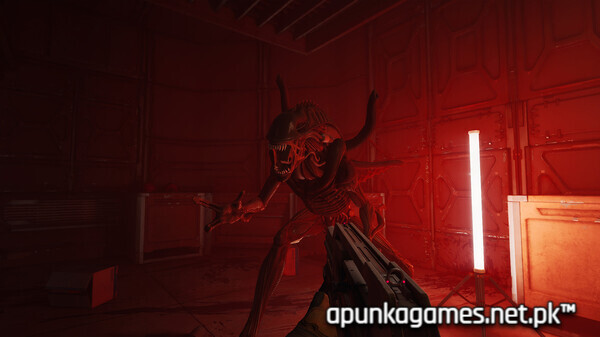
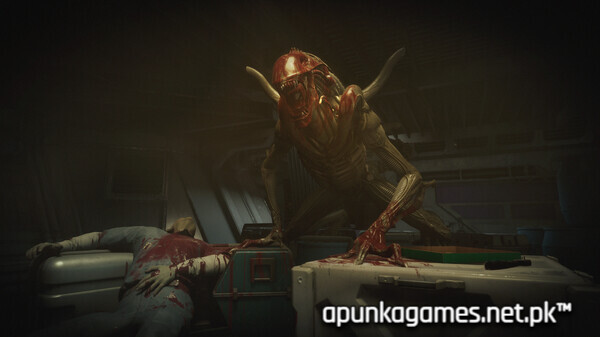
For PC players, the gameplay emphasizes atmospheric survival and tactical gunplay. Armed with iconic weaponry like the pulse rifle, revolver, and shotgun, you must scrounge for ammunition, stimpacks, and grenades while navigating dimly lit, industrial corridors. The core mechanical loop demands constant vigilance; relentless, bullet-sponge Xenomorphs track your movements, crawling through vents to ambush you from any angle.
Visually, the Unreal Engine 5 title delivers exceptional, cinematic sci-fi presentation with atmospheric lighting and rich environmental detail that mirrors the aesthetic of the classic films. The Evolved Edition is fully rebuilt for standard displays, offering unlocked framerates, 3D audio depth, and highly customized keyboard and mouse layouts. The digital download requires 30 GB of available storage space on your hard drive or solid-state drive (SSD) to deploy.
Before downloading make sure that your PC meets minimum system requirements
Minimum System Requirements
- OS: Windows 10 / Windows 11
- Processor: Intel Core i5-8600 / AMD Ryzen 5 3600
- Memory: 16 GB RAM
- Graphics: NVIDIA GeForce GTX 1060 6GB / AMD Radeon RX 580 8GB
- DirectX: Version 12
- Storage: 30 GB available space
Screenshots
How to Install?
- Download: Get the installer only from the official developer or a verified store.
- Run Setup: Double-click the official .exe file and follow the prompts.
- Default Path: Install to the recommended folder to ensure proper system permissions.
- Update: Run the game launcher to download any official security patches.
- Launch: Open the game via the official desktop shortcut.