Apunkagames Official Site – Games Download For PC Apunkagames Official Site — Discover detailed PC game guides, accurate system requirements, screenshots, and verified official download links for top Windows games.

My Cafe Manager Simulator is an engaging first-person business management simulation game released in September 2025. Developed by OUT OF THE ORDINARY and published by PlayWay, the game challenges you to transform a small, empty storefront into a bustling, successful neighborhood coffee shop, handling both micro-level retail tasks and macro-level business strategy.
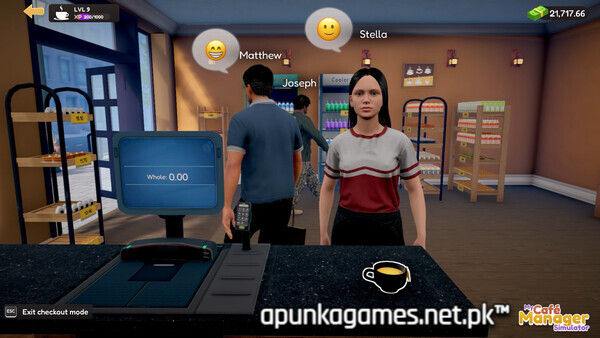
For PC players, the core gameplay loop provides a highly satisfying, hands-on routine. You manage daily inventory by hauling deliveries on a rolling trolley, unboxing goods, and manually stocking shelves, fridges, and pastry counters. Step behind the register to personally run the checkout, process cash or card payments, and expand your menu by purchasing new product licenses. As profits grow, you can design and customize your storefront’s visual layout, buying advanced espresso machines, placing decorative furniture, setting up marketing promotions, and hiring automated staff to handle the busy rush.
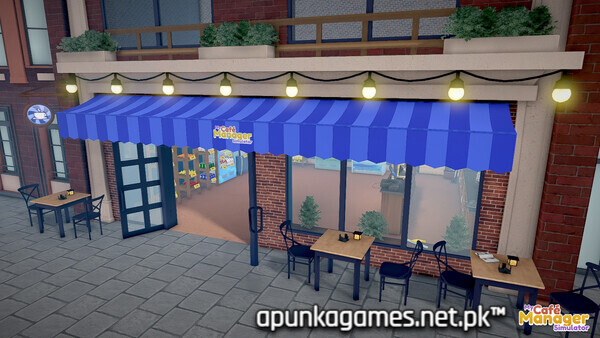
Visually, the game features an immersive 3D environment that scales remarkably well on modern setups. It features intuitive controls and detailed customization mechanics for walls, floors, and cozy outdoor seating areas. The incredibly lightweight digital installation requires just 2 GB of available storage space on your hard drive or solid-state drive (SSD).
Before downloading make sure that your PC meets minimum system requirements
Minimum System Requirements
- OS: Windows (64-bit) 10 / 11
- Processor: Intel Core i5-2500 3.3GHz (4 CPUs)
- Memory: 8 GB RAM
- Graphics: NVidia GeForce GTX 1050
- DirectX: Version 11
- Storage: 2 GB available space
Screenshots
How to Install My Cafe Manager Simulator?
- Download: Get the installer only from the official developer or a verified store.
- Run Setup: Double-click the official .exe file and follow the prompts.
- Default Path: Install to the recommended folder to ensure proper system permissions.
- Update: Run the game launcher to download any official security patches.
- Launch: Open the game via the official desktop shortcut.