Apunkagames Official Site – Games Download For PC Apunkagames Official Site — Discover detailed PC game guides, accurate system requirements, screenshots, and verified official download links for top Windows games.
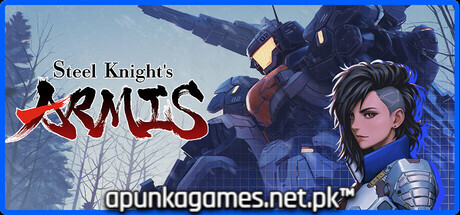
Steel Knight’s ARMIS is a fast-paced action-roguelike and bullet-heaven shooter released in October 2025 by Izanami Game Lab. Channeling the nostalgic aesthetic of high-energy, classic mecha anime, the narrative chronicles a dramatic, five-chapter rebellion. Players step into the pilot’s seat of an ARMIS (Advanced Robotic Mechanized Interceptor System) to launch high-velocity counter-offensives against the oppressive forces of the Imperial Army and the Earth Federation.
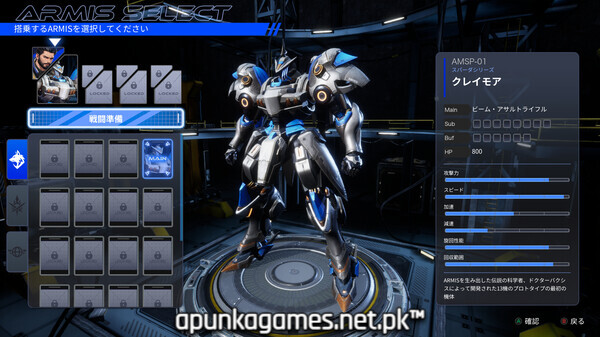
For PC players, the gameplay delivers a unique mecha twist on the popular Vampire Survivors formula. Striking a fine balance between heavy physics and airborne agility, you control your robotic unit through floating space dogfights, avoiding dense enemy swarms, dodging battleship bombardment lasers, and micro-managing defensive dash counters. The title breaks up standard top-down bullet-hell segments by seamlessly transitioning into a vertical shoot-’em-up arcade mode mid-mission. Progression relies heavily on unlocking an extensive roster of twenty-six distinct pilots and forty-four mechanical units, leveling up, and collecting experience points to fine-tune your loadouts.
Visually, the game utilizes a hyper-stylized 3D aesthetic featuring Japanese voice acting and high-speed particle combat effects. This indie mecha title features low hardware barriers, requiring just 3 GB of available storage space on your hard drive or solid-state drive (SSD) to deploy.
Before downloading make sure that your PC meets minimum system requirements
Minimum System Requirements
- OS: Windows 10 / 11 64bit
- Graphics: NVIDIA GeForce GTX680
- Storage: 3 GB available space
Screenshots

How to Install Steel Knights ARMIS?
- Download: Get the installer only from the official developer or a verified store.
- Run Setup: Double-click the official .exe file and follow the prompts.
- Default Path: Install to the recommended folder to ensure proper system permissions.
- Update: Run the game launcher to download any official security patches.
- Launch: Open the game via the official desktop shortcut.