Apunkagames Official Site – Games Download For PC Apunkagames Official Site — Discover detailed PC game guides, accurate system requirements, screenshots, and verified official download links for top Windows games.
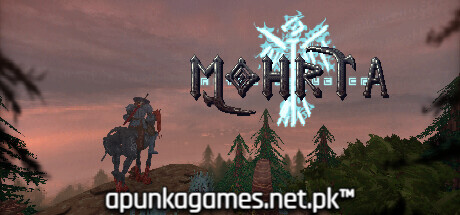
Mohrta is a striking, slow-paced dark fantasy first-person shooter released in October 2025. Developed by Scumhead and Osiol, the game pushes the absolute absolute limits of the retro GZDoom engine to construct a deeply atmospheric, highly unconventional dungeon-crawler experience. Players step into the heavy iron boots of an undead, cybernetic military operative known as Hayward Generation VII, tasked with hunting down a missing high-ranking officer inside an expanding reality anomaly called “The Great Strange.”
For PC players, the experience completely avoids standard “boomer shooter” tropes, trading hyper-fast movement for deliberate exploration and highly tactical, Souls-like combat encounters. The campaign features a completely nonlinear structure, letting you tackle five massive, otherworldly dimensions in any order you prefer. To survive against a roster of over 50 grotesque creatures and 20 colossal, deific bosses, you must build, manage, and continuously upgrade an arsenal of multifaceted weapons, each possessing unique utility functions.
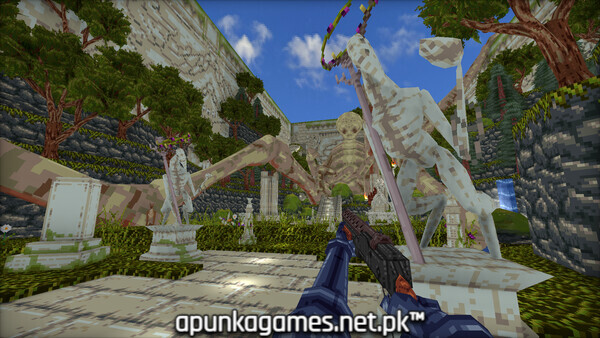
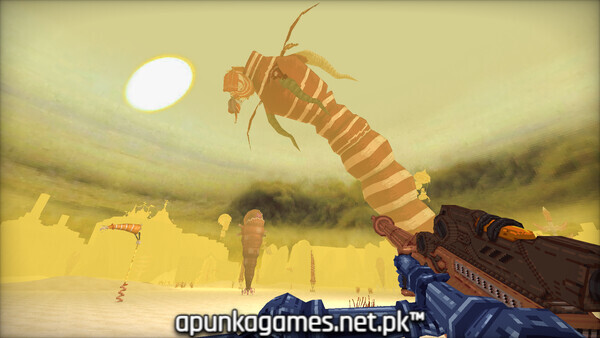
Visually, the title leans into a hyper-stylized, haunting low-poly aesthetic fleshed out with beautifully detailed sprite work. It enjoys a “Very Positive” standing on Steam. This deeply atmospheric cosmic horror adventure requires 4 GB of available storage space on your hard drive or solid-state drive (SSD) to install.
Before downloading make sure that your PC meets minimum system requirements
Minimum System Requirements
- OS: Requires a 64-bit processor and operating system
- Processor: 2.4 GHz Dual-Core
- Memory: 4 GB RAM
- Graphics: ATI Radeon HD 57xx or Nvidia GeForce 400 and higher
- Storage: 4 GB available space
Screenshots
How to Install?
- Download: Get the installer only from the official developer or a verified store.
- Run Setup: Double-click the official .exe file and follow the prompts.
- Default Path: Install to the recommended folder to ensure proper system permissions.
- Update: Run the game launcher to download any official security patches.
- Launch: Open the game via the official desktop shortcut.