Apunkagames Official Site – Games Download For PC Apunkagames Official Site — Discover detailed PC game guides, accurate system requirements, screenshots, and verified official download links for top Windows games.
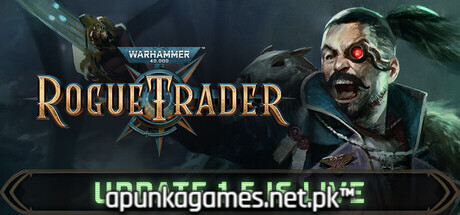
Warhammer 40000 Rogue Trader is a massive, deeply immersive isometric turn-based RPG released in late 2023 that expertly captures the grim darkness of the far future. Developed by Owlcat Games, the narrative casts you as a powerful Rogue Trader—a customizable, high-born voidship captain operating with a sacred warrant of trade. Blessed with unparalleled autonomy, you explore the uncharted, dangerous Koronus Expanse to expand the borders of the Imperium while navigating complex political conspiracies, heresy, and betrayal.
For PC players, the game delivers an incredible tactical sandbox that seamlessly blends deep crpg exploration with grid-based tactical combat. You manage a diverse squad of companions—including a righteous Space Marine, a cynical Eldar Ranger, and a radical unsanctioned Psyker—utilizing a complex turn-based momentum system to trigger powerful heroic acts or desperate measures. Space travel is an entirely separate mechanical loop, requiring you to upgrade your colossal voidship, establish trading colonies across star systems, and engage in tactical, turn-based ship-to-ship space warfare.
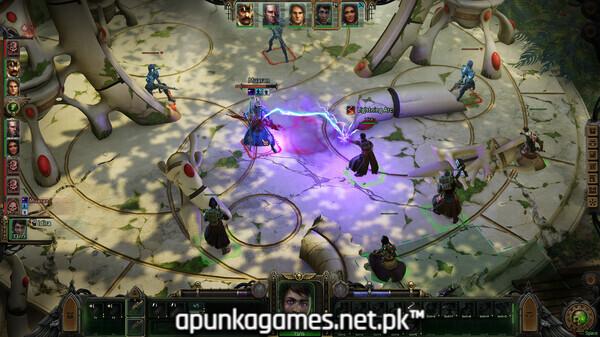
Visually, the game masterfully realizes the gothic, hyper-detailed architecture and oppressive atmosphere of the setting. The digital package requires 40 GB of available storage space on your hard drive or solid-state drive (SSD) to begin your voyage.
Before downloading make sure that your PC meets minimum system requirements
Minimum System Requirements
- OS: Windows 10 / 11
- Processor: Intel Core i5-4590T CPU 2.00GHz
- Memory: 8 GB RAM
- Graphics: AMD Radeon RX Vega 6 / Intel HD Graphics 630
- DirectX: Version 11
- Storage: 40 GB available space
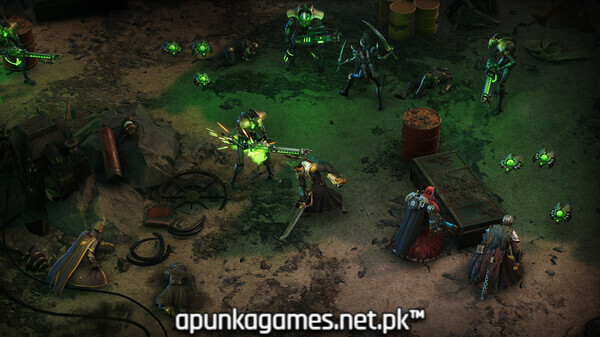
Screenshots
How to Install Warhammer 40000 Rogue Trader?
- Download: Get the installer only from the official developer or a verified store.
- Run Setup: Double-click the official .exe file and follow the prompts.
- Default Path: Install to the recommended folder to ensure proper system permissions.
- Update: Run the game launcher to download any official security patches.
- Launch: Open the game via the official desktop shortcut.