Apunkagames Official Site – Games Download For PC Apunkagames Official Site — Discover detailed PC game guides, accurate system requirements, screenshots, and verified official download links for top Windows games.
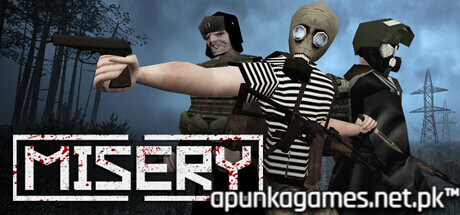
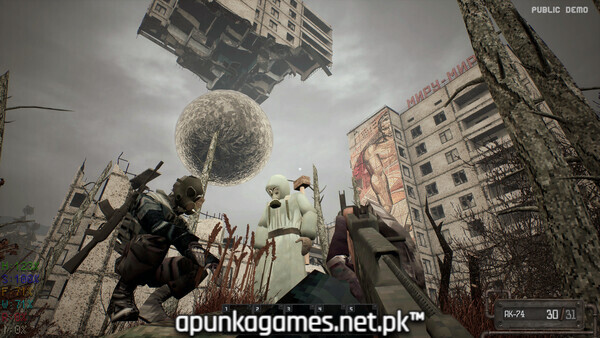
MISERY is an intense, atmospheric 1–10 player co-op survival game released in October 2025 that plunges players into a grim, post-apocalyptic nightmare. Developed by Platypus Entertainment, the narrative centers on the fictional Republic of Zaslavie, where a sudden nuclear war has transformed the landscape into a radioactive exclusion zone filled with anomalous phenomena, mutated creatures, and hostile bandits.
For PC players, the core gameplay loop revolves around high-stakes scavenging raids. Each day, you leave the safety of your underground fallout shelter to explore procedurally generated ruins, research stations, and abandoned military installations. You must race against a strict daytime timer to hoard food, materials, and rare artifacts before a warning siren sounds, signaling you to retreat to the bunker. Managing survival metrics like hunger, radiation sickness, and a unique Insanity mechanic is critical; elevated stress levels trigger horrifying hallucinations, auditory whispers, and visual distortions.
Back at your home base, the mechanics transition into an immersive simulation where you build crafting benches, manage generators, cook meals, and customize your layout. The optimized digital installation requires 7 GB of available storage space on your hard drive or solid-state drive (SSD) to begin your struggle for survival.
Before downloading make sure that your PC meets minimum system requirements
Minimum System Requirements
- OS: Widows 10 / 11 (64-bit)
- Processor: Intel Core i3 3240 CPU
- Memory: 8 GB RAM
- Graphics: NVIDIA GForce GTX 1650
- DirectX: Version 11
- Storage: 7 GB available space
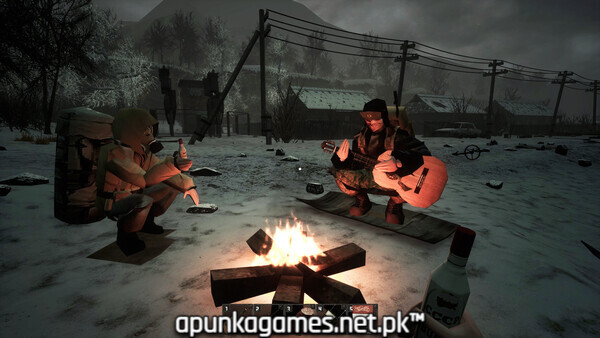
Screenshots
How to Install MISERY?
- Download: Get the installer only from the official developer or a verified store.
- Run Setup: Double-click the official .exe file and follow the prompts.
- Default Path: Install to the recommended folder to ensure proper system permissions.
- Update: Run the game launcher to download any official security patches.
- Launch: Open the game via the official desktop shortcut.