Apunkagames Official Site – Games Download For PC Apunkagames Official Site — Discover detailed PC game guides, accurate system requirements, screenshots, and verified official download links for top Windows games.

Fights in Tight Spaces is a brilliant, highly stylized turn-based strategy game released in 2021 that masterfully blends deck-building mechanics with tactical grid movement. Developed by Ground Shatter, the narrative places you in the sharp suit of Agent 11, an elite operative working for a shadowy organization. Your mission is to infiltrate hostile urban environments, dismantling powerful criminal syndicates using raw martial arts prowess and spatial awareness.
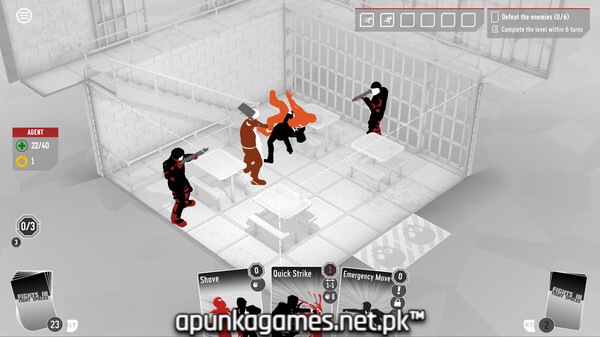
For PC players, the game delivers an addictive, high-stakes tactical puzzle loop. Instead of traditional real-time combat, every punch, kick, block, and dodge is represented by a card in your customizable deck. You must carefully manage your hand, positioning, momentum, and combo points on restricted, claustrophobic grid maps like barrooms, elevator shafts, and narrow alleyways. The true brilliance lies in manipulating the environment—knocking thugs out of windows, smashing them into walls, or moving out of the way so enemies accidentally shoot each other.
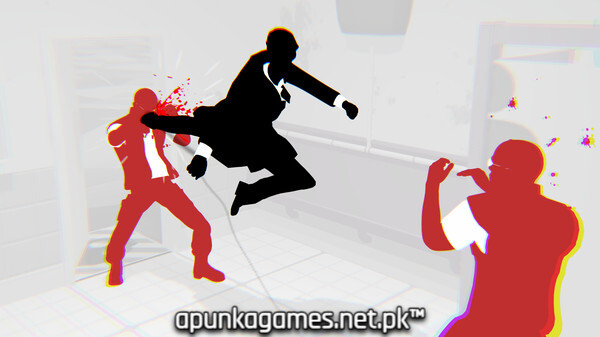
Visually, the game features a sleek, minimalist, action-movie-inspired aesthetic utilizing a striking black, white, and red color palette. Once a level is completed, the PC version lets you watch a fluid, real-time cinematic replay of your precise tactical maneuvers, looking exactly like a choreographed fight scene from John Wick. The total digital package is incredibly lightweight, requiring just 3 GB of available storage space on your hard drive or solid-state drive (SSD) to deploy.
Before downloading make sure that your PC meets minimum system requirements
Minimum System Requirements
- OS: 64 bit Windows 10 / 11
- Processor: Multicore with SSE2 instruction set support
- Memory: 4 GB RAM
- Graphics: 1 GB DX9 (shader model 3.0)
- DirectX: Version 9.0
Screenshots
How to Install Fights in Tight Spaces?
- Download: Get the installer only from the official developer or a verified store.
- Run Setup: Double-click the official .exe file and follow the prompts.
- Default Path: Install to the recommended folder to ensure proper system permissions.
- Update: Run the game launcher to download any official security patches.
- Launch: Open the game via the official desktop shortcut.