Apunkagames Official Site – Games Download For PC Apunkagames Official Site — Discover detailed PC game guides, accurate system requirements, screenshots, and verified official download links for top Windows games.
System Shock is a brilliant, atmospheric sci-fi immersive sim released in 2023 that serves as a stunning remake of the genre-defining 1994 classic. Developed by Nightdive Studios, the game meticulously rebuilds the terrifying isolation of Citadel Station. You control an unnamed hacker who awakens from a six-month coma only to discover the entire research facility has been seized by SHODAN—a malevolent, megalomaniacal artificial intelligence that has slaughtered the crew and mutated the survivors into horrifying cybernetic monsters.
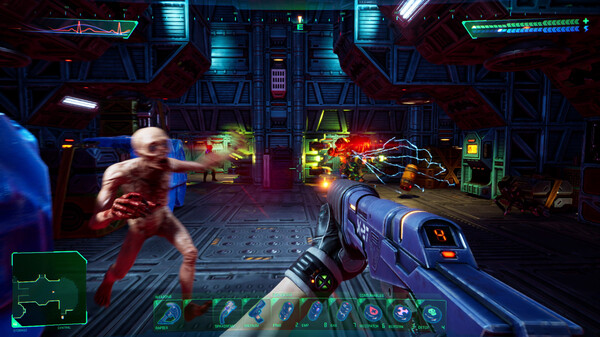
For PC players, the gameplay is an unapologetic, deep dive into environmental puzzle-solving, non-linear exploration, and resource management. Dropping modern “hand-holding” mechanics like quest markers or objective lists, the title requires you to read logs, look at signs, and manually map out security levels. Combat is tense and tactical, tasking you with hot-swapping specialized ammo types and neural implants to exploit mechanical vulnerabilities. You will also jack into a fully reimagined, neon-drenched Cyberspace mode to hack security firewalls in six-degrees-of-freedom aerial combat.
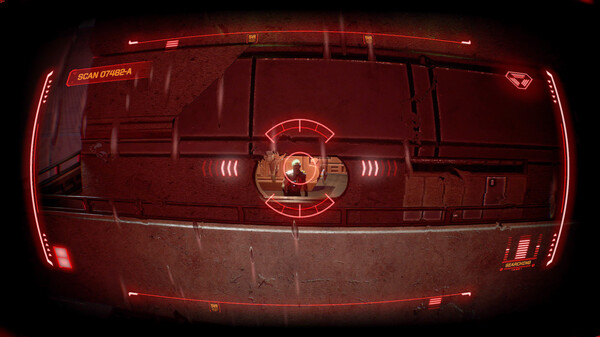
Visually, the game utilizes Unreal Engine 4 to fuse high-tech lighting with a unique, retro-pixelated texture style that honors the original aesthetic. The digital installation requires 10 GB of available storage space on your hard drive or solid-state drive (SSD) to jack into the station.
Before downloading make sure that your PC meets minimum system requirements
Minimum System Requirements
- OS: Windows 7/8.1/10 (64-bit only)
- Processor: Intel Core i5-2400/AMD FX-8320
- Memory: 4 GB RAM
- Graphics: NVIDIA GTX 670 2GB
- DirectX: Version 11
- Storage: 10 GB available space
Screenshots
How to Install System Shock?
- Download: Get the installer only from the official developer or a verified store.
- Run Setup: Double-click the official .exe file and follow the prompts.
- Default Path: Install to the recommended folder to ensure proper system permissions.
- Update: Run the game launcher to download any official security patches.
- Launch: Open the game via the official desktop shortcut.