Apunkagames Official Site – Games Download For PC Apunkagames Official Site — Discover detailed PC game guides, accurate system requirements, screenshots, and verified official download links for top Windows games.

Dungeonfell is a single-player tactical, turn-based roguelite developed and published by Bad Fox Studios. Set in a fantasy realm facing the ominous Prophecy of the Dark Star, the game tasks players with cleansing a spreading corruption that is twisting the monsters within the dungeon depths. Guided by the great wizard Balthazar, players must embark on a dangerous quest to retrieve fabled Keystones from powerful dungeon guardians to save the realm.
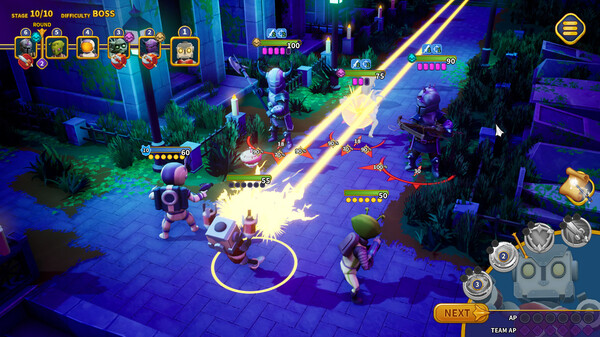
The core gameplay centers on commanding a squad of unique heroes known as Delvers, selected from a roster of fifteen distinct characters. Combat requires careful strategic planning, utilizing a turn-based action point system where heroes use localized and team-shared pools to execute specific abilities. Players must manage their resources wisely, select paths through branching dungeon maps based on risk and reward, and adapt to enemy intents clearly displayed on screen during intense wave-based PvE battles.
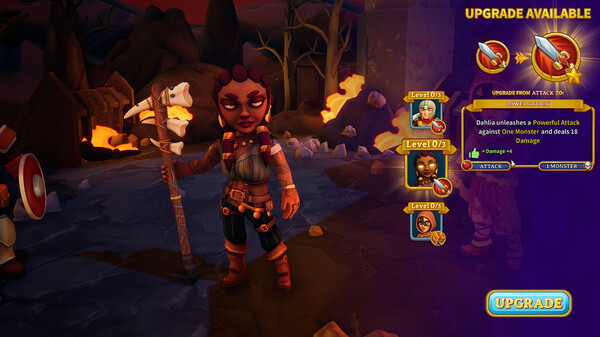
Progression carries traditional roguelite elements, rewarding players with gold and special resources to upgrade their squad between runs. By utilizing the Celestial Tablet, players can advance through detailed character skill trees, unlock devastating global spells, and discover game-changing relics. With customizable team compositions, scaling difficulty levels, and global leaderboards to challenge top scores, the game offers a deeply replayable and engaging experience for tactical strategy enthusiasts.
Before downloading make sure that your PC meets minimum system requirements
Minimum System Requirements
- OS: Windows 10/11
- Processor: 3.20 GHzQuad Core
- Memory: 8 GB RAM
- Graphics: Nvidia GTX 660 or equivalent
- DirectX: Version 11
- Storage: 2 GB available space
Screenshots
How to Install Dungeonfell?
- Download: Get the installer only from the official developer or a verified store.
- Run Setup: Double-click the official .exe file and follow the prompts.
- Default Path: Install to the recommended folder to ensure proper system permissions.
- Update: Run the game launcher to download any official security patches.
- Launch: Open the game via the official desktop shortcut.