Apunkagames Official Site – Games Download For PC Apunkagames Official Site — Discover detailed PC game guides, accurate system requirements, screenshots, and verified official download links for top Windows games.
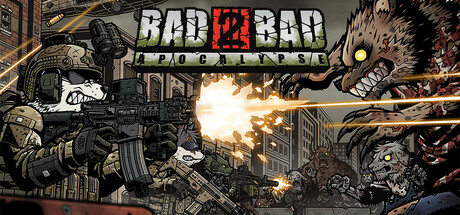
Bad 2 Bad Apocalypse is an engaging, open-world survival action RPG developed by Dawinstone and published by Alchemist Games. As the official sequel to Bad 2 Bad: Delta and Extinction, this entry expands the series’ universe into a vast, post-apocalyptic world overrun by the virus-infected “Wilders.” Players take control of Major Pan, the charismatic panda leader of the Delta Team, embarking on a dangerous mission to rebuild human society, rescue survivors, and neutralize the global viral threat.
The gameplay centers on an immersive loop of exploration, gathering, fishing, and crafting alongside intense, tactical squad-based combat. You are tasked with upgrading your base camp, managing essential survival resources, and assembling a powerful team of anthropomorphic animal soldiers, each possessing unique skills and backstories. Tactical depth is highly emphasized, as players must carefully customize their squad’s weapons, gear, and loadouts to survive the unpredictable dangers lurking in the open world, from aggressive mutant wildlife to rival hostile factions.
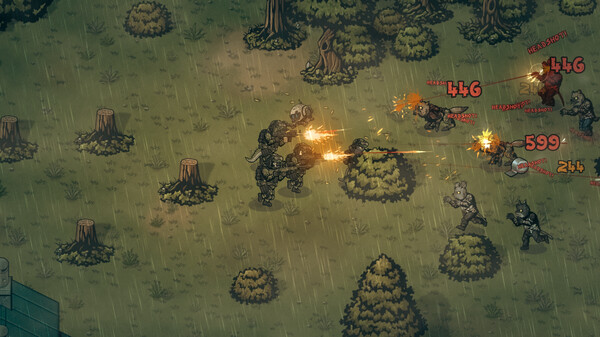
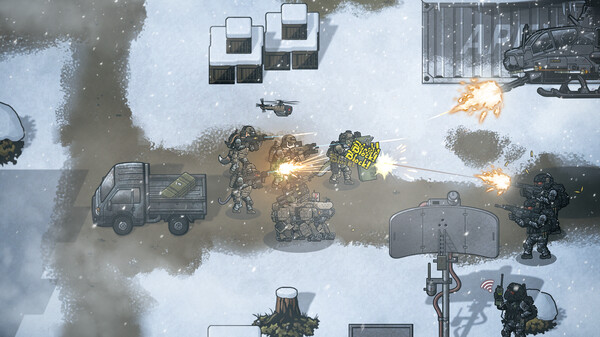
Visually, the game retains its distinct and polished 2D art style, featuring highly detailed character designs and gritty, atmospheric environments. A robust progression system rewards thorough exploration, allowing players to utilize night vision, tactical drones, and combat vehicles to overcome difficult nighttime encounters and elite boss fights. With its rich combination of deep customization, survival mechanics, and seamless tactical progression, the title offers a compelling, high-stakes experience for fans of squad-based action RPGs.
Before downloading make sure that your PC meets minimum system requirements
Minimum System Requirements
- OS: Windows 10
- Processor: Intel Core i3
- Memory: 4 GB RAM
- Graphics: NVIDIA GeForce GTX 560
- Storage: 2 GB available space
Screenshots
How to Install Bad 2 Bad Apocalypse?
- Download: Get the installer only from the official developer or a verified store.
- Run Setup: Double-click the official .exe file and follow the prompts.
- Default Path: Install to the recommended folder to ensure proper system permissions.
- Update: Run the game launcher to download any official security patches.
- Launch: Open the game via the official desktop shortcut.