Apunkagames Official Site – Games Download For PC Apunkagames Official Site — Discover detailed PC game guides, accurate system requirements, screenshots, and verified official download links for top Windows games.
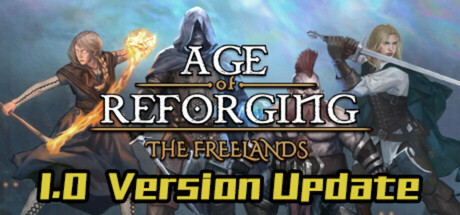
Age of Reforging The Freelands is an open-world, sandbox computer role-playing game (CRPG) developed by PersonaeGame Studio and published by Kunpan Games. Set in a dark, high-fantasy medieval universe, the game places you in the shoes of a “reforger” chosen by the goddess of fate to navigate the lawless and treacherous territory known as the Freelands.
The core gameplay centers around absolute freedom and survival, blending classic party-based RPG mechanics with tactical, real-time-with-pause combat. You can extensively customize your main character, select distinct origins, and choose from over 200 combat skills and 100 magical abilities without traditional class restrictions. Survival requires managing party hunger and fatigue while fending off hundreds of unique enemy types across eight distinct ecological zones.
Beyond individual exploration, players can recruit companions, manage a traveling merchant caravan or mercenary group, and capture castles to establish their presence. The world operates on a dynamic day-night cycle with specialized NPC AI systems that simulate a living economy. Featuring dozens of handcrafted side quests and a deep automated tactical AI trigger system for managing companion behavior during chaotic battles, it offers an expansive, gritty experience for fans of emergent strategy and deep sandbox role-playing.
Before downloading make sure that your PC meets minimum system requirements
Minimum System Requirements
- OS: Windows 7/8/10 (64 bits)
- Processor: Intel Core i5-3450 (3.1 GHz)
- Memory: 16 GB RAM
- Graphics: 2 GB, GeForce GTX 660
- Storage: 60 GB available space
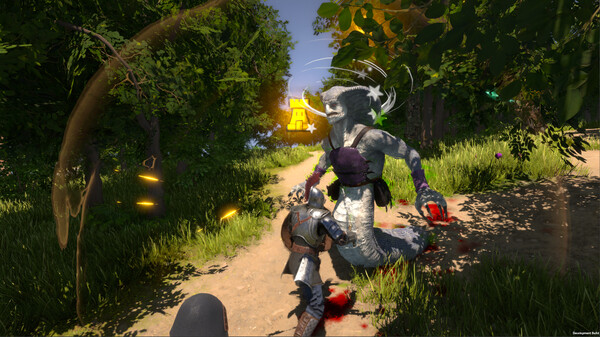
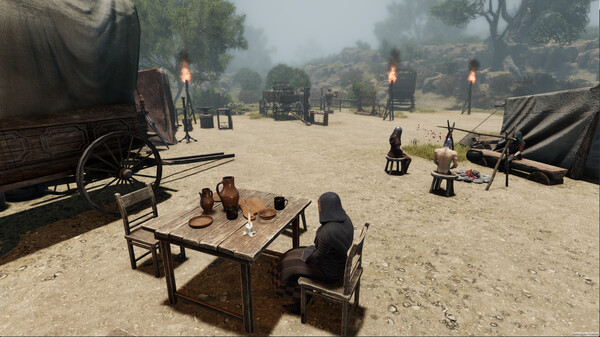
Screenshots
How to Install Age of Reforging The Freelands?
- Download: Get the installer only from the official developer or a verified store.
- Run Setup: Double-click the official .exe file and follow the prompts.
- Default Path: Install to the recommended folder to ensure proper system permissions.
- Update: Run the game launcher to download any official security patches.
- Launch: Open the game via the official desktop shortcut.