Apunkagames Official Site – Games Download For PC Apunkagames Official Site — Discover detailed PC game guides, accurate system requirements, screenshots, and verified official download links for top Windows games.

Aliens vs. Predator is a thrilling, atmospheric first-person shooter released in 2010 that brings the legendary sci-fi crossover to life. Developed by Rebellion and published by Sega, the narrative unfolds on the colony planet BG-386, where the discovery of an ancient pyramid ignites a brutal, three-way war for survival between United States Colonial Marines, a lethal swarm of Xenomorphs, and a hunting party of elite Predators.
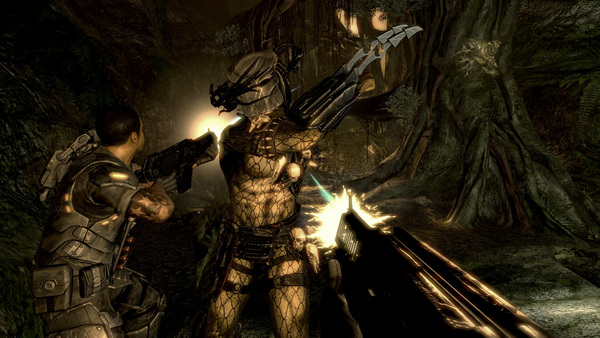
For PC players, the game delivers an incredible asymmetrical gameplay experience split across three distinct, fully voiced single-player campaigns. As a Marine, you experience pure survival horror, relying on your motion tracker and pulse rifle in dark, claustrophobic corridors. Switching to the Xenomorph swaps the perspective to lightning-fast, wall-crawling agility, using shadows and brutal melee executions to ambush prey. Finally, the Predator campaign focuses on methodical stealth, utilizing cloaking technology, thermal vision, and shoulder cannons to hunt from the canopy.
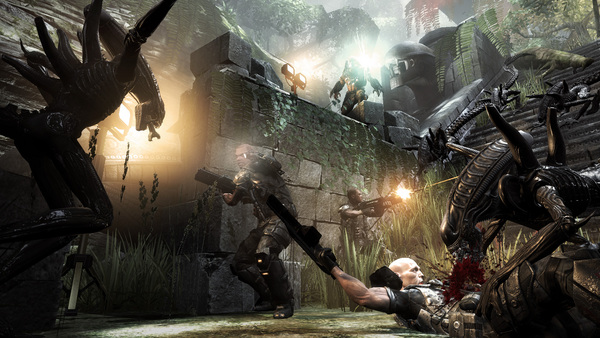
Visually, the game utilizes atmospheric lighting, dynamic shadows, and detailed environmental design to capture the gritty essence of both cinematic universes. The multiplayer mode lets players pit these unique classes against each other in chaotic arena matches. The digital installation requires 26 GB of available storage space on your hard drive or solid-state drive (SSD) to deploy.
Before downloading make sure that your PC meets minimum system requirements
Minimum System Requirements
- OS: Windows XP/Vista
- Processor: 3.4 GHz Intel Pentium 4
- Memory: 2 GB System RAM
- Graphics: NVIDIA 7900, ATI X1800
- Hard Drive: 16 GB free hard drive space
Screenshots
How to Install Aliens vs Predator?
- Download: Get the installer only from the official developer or a verified store.
- Run Setup: Double-click the official .exe file and follow the prompts.
- Default Path: Install to the recommended folder to ensure proper system permissions.
- Update: Run the game launcher to download any official security patches.
- Launch: Open the game via the official desktop shortcut.