Apunkagames Official Site – Games Download For PC ApunKaGames is a best website to download games for PC.
Table of Contents
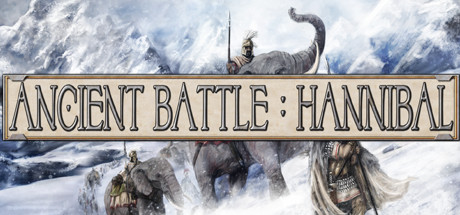
Ancient Battle Hannibal is a turn-based strategy game developed by HexWar Games that lets players immerse themselves in the epic clashes of the Punic Wars. Acting as a major upgrade to its predecessor, Ancient Battle: Rome, this edition shifts the focus entirely to the legendary Carthaginian general Hannibal Barca. Players are tasked with commanding vast armies across critical campaigns as Carthage and Rome fight for ultimate dominance over the ancient Mediterranean world.
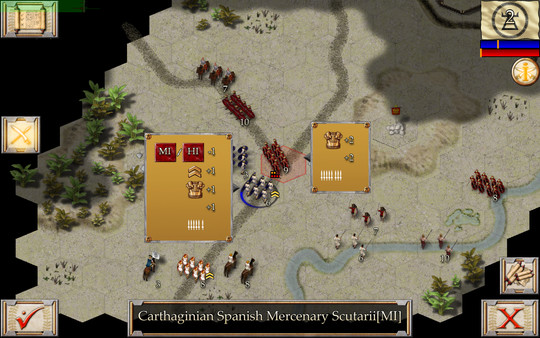
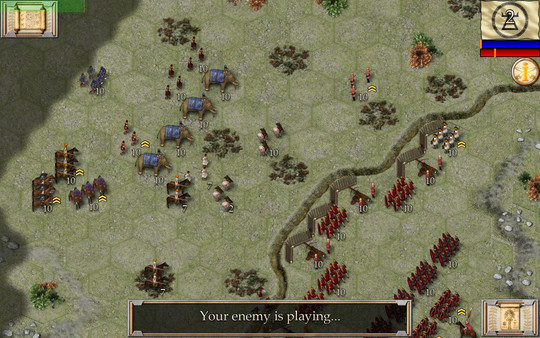
The gameplay centers on tactical precision, featuring multiple geographical regions including Italy, Spain, Sicily, and Africa. To elevate strategic opportunities, the game introduces multi-level hills that affect combat positioning alongside detailed tactical options like flank attacks and strategic movement. It boasts 38 unique historical units, such as Roman Hastati, Spanish Scutarii, bolt throwers, and formidable war elephants, all categorized into four distinct experience classes ranging from raw recruits to elite veterans.
With a variety of content, the game offers a 7-mission tutorial campaign to teach the basics before throwing players into the heat of historic conflicts. These include a 4-mission Sicily campaign covering the First Punic War and an 8-mission Italy campaign highlighting iconic engagements like the Battle of Lake Trasimene and the Battle of Cannae. Every mission can be replayed from both sides, offering excellent replayability for history fans.
Before downloading make sure that your PC meets minimum system requirements
Minimum System Requirements
- OS: Windows 10 / 11
- Processor: Intel Core 2 Duo or AMD equivalent
- Memory: 2 GB RAM
- Graphics: OpenGL 2.1 supporting graphics card
- Storage: 1 GB available space
Screenshots
How to Install Ancient Battle Hannibal?
- Download: Get the installer only from the official developer or a verified store.
- Run Setup: Double-click the official .exe file and follow the prompts.
- Default Path: Install to the recommended folder to ensure proper system permissions.
- Update: Run the game launcher to download any official security patches.
- Launch: Open the game via the official desktop shortcut.