Apunkagames Official Site – Games Download For PC Apunkagames Official Site — Discover detailed PC game guides, accurate system requirements, screenshots, and verified official download links for top Windows games.

Blue Prince is a genre-defying strategy puzzle and exploration adventure developed by Dogubomb and published by Raw Fury. Released in April 2025, the game casts you as the heir to Mt. Holly, a mysterious, sprawling mansion. Your primary objective is to navigate its shifting corridors and uncover the secrets hidden within, specifically tracking down the elusive and rumored Room 46.
The core gameplay centers on a unique roguelite drafting mechanic. When you approach a closed door, you decide which room generates behind it, actively shaping the floor plan of Mt. Holly. Every chamber features distinct puzzles, tools, and environmental clues. However, the layout entirely resets at every dawn, wiping out your immediate progress except for permanent upgrades to your estate blueprint. This design demands strategic foresight, careful resource management, and diligent note-taking to overcome persistent randomness.
Beneath its puzzle-laden surface lies a rich, atmospheric story filled with blackmail, political intrigue, and mysterious disappearances. Progress relies entirely on using items creatively to explore deeper into the mansion’s core. Acclaimed for its highly clever design and immersive mystery, it offers players an unrelenting challenge where every decision shapes their unpredictable path through history. Ultimately, this creates a deeply captivating indie gameplay experience.
Before downloading make sure that your PC meets minimum system requirements
Minimum System Requirements
- OS: Windows 10/11, 64-bits
- Processor: i5-2300/Ryzen 3 1200
- Memory: 16 GB RAM
- Graphics: NVIDIA GeForce GTX 1060/AMD RX580
- DirectX: Version 11
- Storage: 6 GB available space
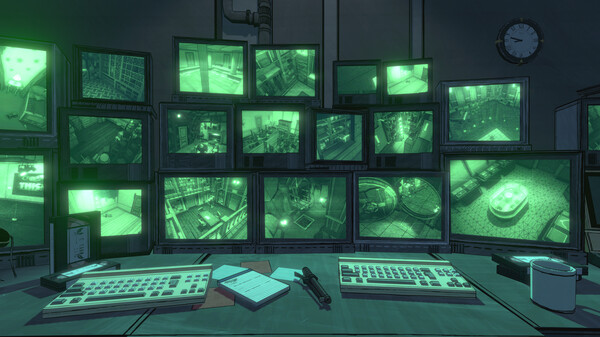
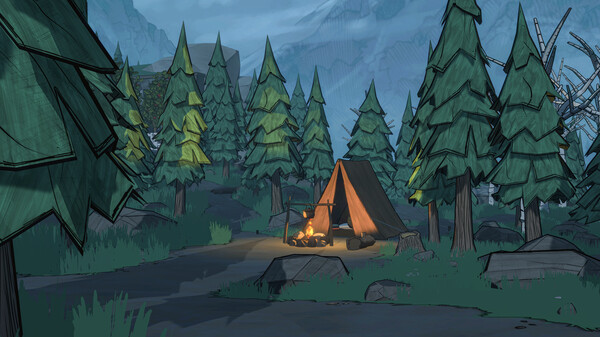
Screenshots
How to Install Blue Prince?
- Download: Get the installer only from the official developer or a verified store.
- Run Setup: Double-click the official .exe file and follow the prompts.
- Default Path: Install to the recommended folder to ensure proper system permissions.
- Update: Run the game launcher to download any official security patches.
- Launch: Open the game via the official desktop shortcut.