Apunkagames Official Site – Games Download For PC Apunkagames Official Site — Discover detailed PC game guides, accurate system requirements, screenshots, and verified official download links for top Windows games.
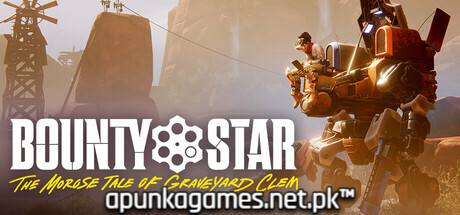
Bounty Star (fully titled Bounty Star: The Morose Tale of Graveyard Jones) is an inventive over-the-shoulder mech action game published by Annapurna Interactive. Set in a gorgeous, post-apocalyptic American Southwest, the narrative follows Clementine Jones, a broken but legendary ex-soldier and expert mech pilot. Battling severe trauma and a guilt-ridden past, Clementine climbs back into the cockpit of her massive robotic rig to protect her desert home from ruthless mercenary factions, scavengers, and criminals.
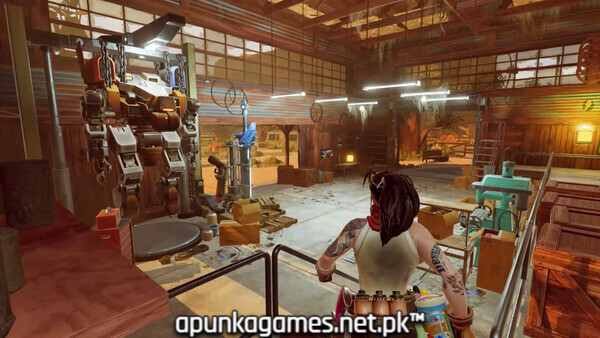
For PC players, the experience masterfully fuses heavy, tactical mech combat with immersive base-building and farming simulation mechanics. You deploy into dangerous, dusty canyon sandboxes to execute high-stakes bounty missions, engaging in deliberate, close-quarters melee brawls and chaotic high-impact ballistic shootouts. Between combat runs, the gameplay shifts to a serene, third-person management loop. You actively repair and deeply customize your mech with customizable weapon parts, while simultaneously building up your homestead by farming crops, raising livestock, and upgrading structures to manufacture ammunition and fuel.
Visually, the game utilizes a striking, hyper-stylized cell-shaded aesthetic that blends classic Western iconography with advanced industrial sci-fi tech. The digital installation requires 15 GB of available storage space on your hard drive or solid-state drive (SSD) to deploy your rig.
Before downloading make sure that your PC meets minimum system requirements
Minimum System Requirements
- OS: Windows 10 / 11
- Processor: Intel Core i5-3470 or AMD Ryzen 3 1200
- Memory: 12 GB RAM
- Graphics: NVIDIA GeForce GTX 1650, 4GB or AMD Radeon R9 390
- Additional Notes: 1080p 30 FPS
Screenshots

How to Install Bounty Star?
- Download: Get the installer only from the official developer or a verified store.
- Run Setup: Double-click the official .exe file and follow the prompts.
- Default Path: Install to the recommended folder to ensure proper system permissions.
- Update: Run the game launcher to download any official security patches.
- Launch: Open the game via the official desktop shortcut.