Apunkagames Official Site – Games Download For PC Apunkagames Official Site — Discover detailed PC game guides, accurate system requirements, screenshots, and verified official download links for top Windows games.
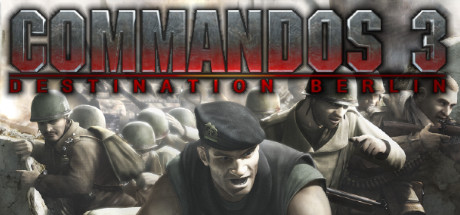
Commandos 3 Destination Berlin is a grueling real-time tactics classic released in 2003 that pushes your tactical planning and precision to its absolute limit. Set during the height of World War II, the narrative takes the elite squad of specialized soldiers deep behind enemy lines across three brutal, cinematic campaigns: the desperate defense of Stalingrad, the high-stakes infiltration of Central Europe, and the chaotic beachheads of Normandy.
For PC players, this third installment introduces a faster, more action-oriented pace compared to its predecessors while maintaining its signature, unforgiving difficulty. You control six elite commandos—including the Green Beret, Sniper, Marine, Sapper, Spy, and Thief—each equipped with unique stealth and sabotage skill sets. The mechanical loop was heavily modernized with smaller, more tightly packed maps, a redesigned inventory system that standardizes weapon use across characters, and intense scripted sequences like defending a moving train or surviving timed bomb defusals.
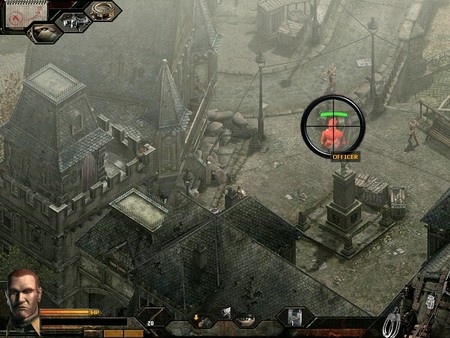
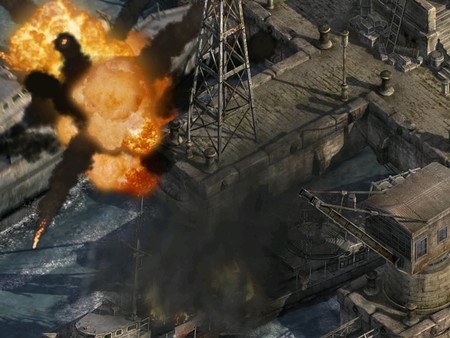
Visually, the game beautifully blends highly detailed, pre-rendered 2D backgrounds with fully rotatable 3D interior spaces, allowing you to scan rooms from multiple angles to spot hidden Nazi patrols. The classic engine operates flawlessly on any modern desktop or laptop configuration with practically zero hardware strain. The complete digital installation requires less than 3 GB of available storage space on your hard drive or solid-state drive (SSD) to deploy your squad.
Before downloading make sure that your PC meets minimum system requirements
Minimum System Requirements
- OS: Windows 98/2000/XP
- Processor: Intel Pentium III 700 MHz
- Memory (RAM): 128 MB
- Graphics Card: NVIDIA GeForce 2 / ATI Radeon 7500
- DirectX: Version 8.1 or higher
- Sound Card: DirectX-compatible sound card
- Hard Drive Space: 2 GB free disk space
Screenshots
How to Install?
- Download: Get the installer only from the official developer or a verified store.
- Run Setup: Double-click the official .exe file and follow the prompts.
- Default Path: Install to the recommended folder to ensure proper system permissions.
- Update: Run the game launcher to download any official security patches.
- Launch: Open the game via the official desktop shortcut.