Apunkagames Official Site – Games Download For PC Apunkagames Official Site — Discover detailed PC game guides, accurate system requirements, screenshots, and verified official download links for top Windows games.

Cubic Odyssey is an open-world survival crafting RPG developed by Atypical Games and published by Gaijin Network Ltd. Set in a vast sandbox universe, the game invites players to embark on a seamless galactic journey spanning hundreds of unique star systems.
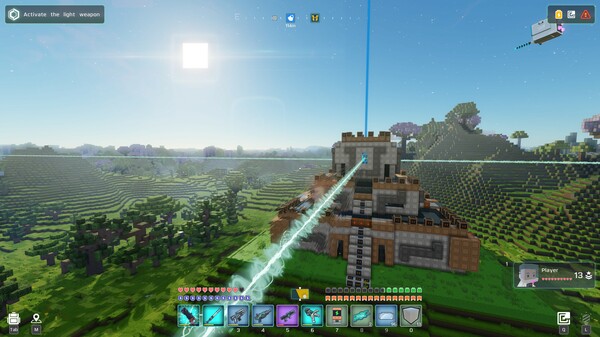
The core gameplay centers around exploration, resource gathering, and deep crafting mechanics. Players can mine materials to refine gear, build outposts, and engineer custom planetary vehicles or advanced starships. Traversal is incredibly fluid, allowing you to seamlessly transition from cruising across a planet’s surface to jumping into warp speed through deep space.
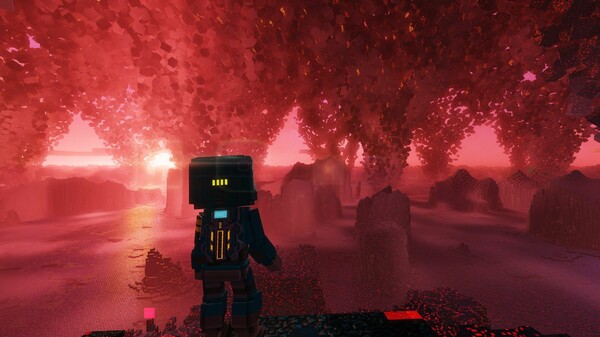
A major driving force of the narrative and gameplay is the fight against the “Red Darkness”—a mutating galactic infection that threatens entire planets and their wildlife. To counter this, players must engage in intense action-adventure combat, taking down rogue space pirates and colossal threats.
While the game offers extensive online and LAN co-op options to build megastructures and coordinate orbital strikes with friends, the multiplayer mode has faced community criticism regarding server stability and lost inventory bugs. However, its single-player experience stands out, delivering a compelling story mode filled with ancient mysteries, NPC trading cities, and deep RPG skill progression.
Before downloading make sure that your PC meets minimum system requirements
Minimum System Requirements
- OS: Windows 10
- Processor: Intel Core i5 2500 or AMD FX-4350
- Memory: 8 GB RAM
- Graphics: nVidia GTX 1060 / AMD RX 580 with 6GB of VRAM
- DirectX: Version 11
- Network: Broadband Internet connection
- Storage: 6 GB available space
Screenshots
How to Install Cubic Odyssey?
- Download: Get the installer only from the official developer or a verified store.
- Run Setup: Double-click the official .exe file and follow the prompts.
- Default Path: Install to the recommended folder to ensure proper system permissions.
- Update: Run the game launcher to download any official security patches.
- Launch: Open the game via the official desktop shortcut.