Apunkagames Official Site – Games Download For PC Apunkagames Official Site — Discover detailed PC game guides, accurate system requirements, screenshots, and verified official download links for top Windows games.

Dead Rising 2 is an action-adventure hack-and-slash video game developed by Blue Castle Games and published by Capcom. Released in 2010, the game moves the zombie-slaying action from the original game’s shopping mall to the glitzy, neon-lit casino resort of Fortune City. Players step into the shoes of Chuck Greene, a former motocross champion who must survive the outbreak while cleared of a frame-up for causing the disaster. Chuck is also driven by a deeply personal mission: he must source Zombrex, an expensive daily medication, to keep his infected young daughter from turning into a zombie.
The defining feature of this sequel is its highly inventive combo weapon system, allowing players to tape together everyday items found around the resort to create devastating tools of destruction. By combining objects like a paddle and a chainsaw, or a car battery and a rake, players can tear through massive, dense crowds of thousands of onscreen undead. Alongside standard zombies, Chuck must also square off against “Psychopaths”—unhinged human bosses who have completely lost their minds during the chaos.
Time management remains a core mechanic of the experience, forcing players to balance rescuing stranded survivors, defeating bosses, and administering his daughter’s medicine within a strict 72-hour in-game window. This creates a tense but highly replayable loop, further enhanced by a cooperative multiplayer mode where two players can tackle the campaign together.
Before downloading make sure that your PC meets minimum system requirements
Minimum System Requirements
- OS: Windows Vista/XP, Windows 7
- Processor: Intel Core 2 Duo 2.4 Ghz or better
- Memory: 2 GB RAM
- Graphics: NVIDIA GeForce 8800GTS or better
- DirectX: DirectX 9.0c or greater
- Hard Drive: 8.5 GB free hard drive space
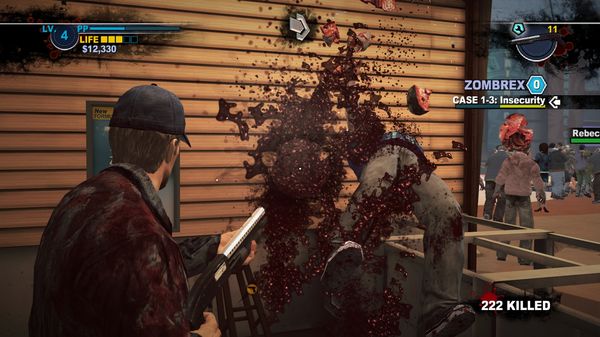
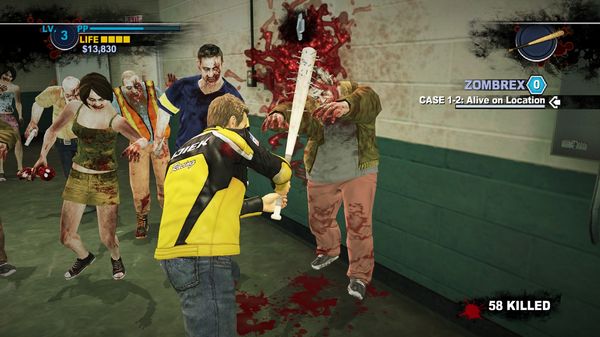
Screenshots
How to Install Dead Rising 2?
- Download: Get the installer only from the official developer or a verified store.
- Run Setup: Double-click the official .exe file and follow the prompts.
- Default Path: Install to the recommended folder to ensure proper system permissions.
- Update: Run the game launcher to download any official security patches.
- Launch: Open the game via the official desktop shortcut.