Apunkagames Official Site – Games Download For PC Apunkagames Official Site — Discover detailed PC game guides, accurate system requirements, screenshots, and verified official download links for top Windows games.
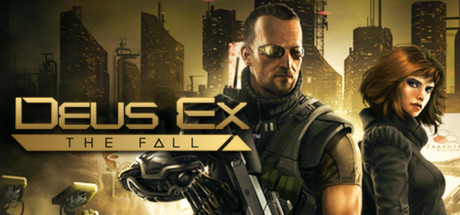
Deus Ex The Fall is a cyberpunk action-RPG released on PC in 2014 that serves as a narrative spin-off to Deus Ex: Human Revolution. Developed by N-Fusion Interactive alongside Eidos Montréal, the story is set in a dystopian 2027 where global corporations control society. Players control Ben Saxon, a heavily augmented former British SAS mercenary turned fugitive, who enters a dangerous race against time to uncover a global conspiracy behind a life-saving drug shortage.
For PC players, the game preserves the core “play-your-way” ethos of the franchise. The gameplay loop seamlessly blends first-person shooting, tactical third-person cover mechanics, stealth infiltration, and deep hacking mini-games. Players navigate interconnected urban hubs, using earned experience points to unlock cybernetic augmentations that grant unique abilities—such as cloaking for ghost runs, heavy armor for aggressive combat, or hacking terminals to bypass security systems.
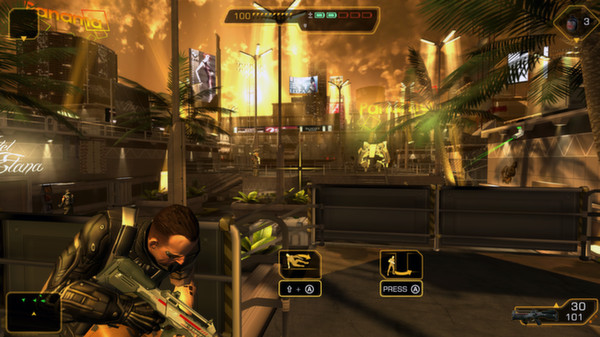
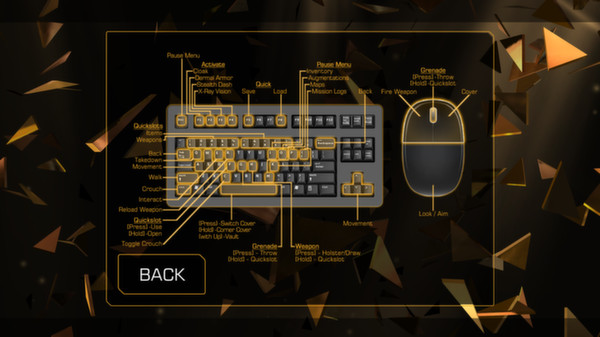
Visually, the title captures the iconic, high-contrast gold-and-black aesthetic that defined Human Revolution. While originally designed for mobile platforms, the PC port features remastered controls, rebalanced action, and traditional keyboard and mouse layout optimization. The compact digital installation requires just 4 GB of available storage space on your hard drive or solid-state drive (SSD) to deploy.
Before downloading make sure that your PC meets minimum system requirements
Minimum System Requirements
- OS: Windows XP SP2
- Processor: 2GHz dual core
- Memory: 2 GB RAM
- Graphics: DirectX 9.0c compatible graphics card
- DirectX: Version 9.0c
- Storage: 4 GB available space
Screenshots
How to Install Deus Ex The Fall?
- Download: Get the installer only from the official developer or a verified store.
- Run Setup: Double-click the official .exe file and follow the prompts.
- Default Path: Install to the recommended folder to ensure proper system permissions.
- Update: Run the game launcher to download any official security patches.
- Launch: Open the game via the official desktop shortcut.