Apunkagames Official Site – Games Download For PC Apunkagames Official Site — Discover detailed PC game guides, accurate system requirements, screenshots, and verified official download links for top Windows games.
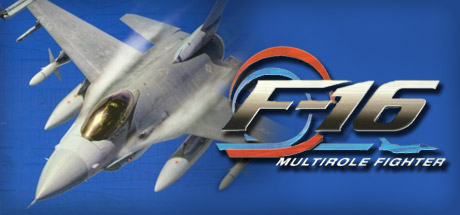
F-16 Multirole Fighter is a classic combat flight simulation game released by NovaLogic in 1998. Designed for Microsoft Windows, the game captures the high-stakes world of modern aerial warfare by putting players inside the cockpit of the iconic F-16 Fighting Falcon. It struck a memorable balance between rigid, realistic flight physics and accessible, action-oriented gameplay, making it a beloved title for simulation enthusiasts of its era.
The gameplay focuses heavily on the authentic multirole nature of the aircraft, requiring players to execute both air-to-air dogfights and precision air-to-ground strike missions. NovaLogic implemented true-to-life features such as managing limited ammunition, monitoring fuel levels, and coping with severe gravitational forces, which could cause pilot blackouts or redouts. Players also had to master advanced equipment like the LANTIRN targeting system for complex night operations and all-weather bombings.
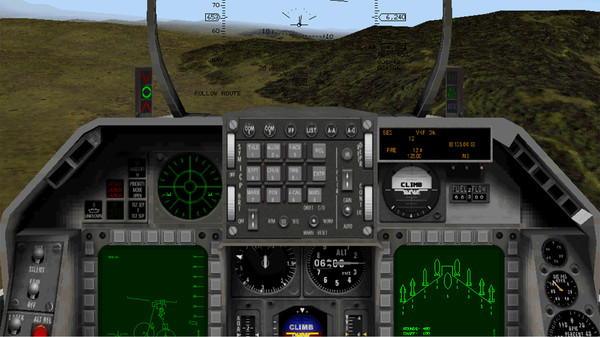
Across the game’s expansive campaigns, players flew dangerous sorties in global hotspots including Serbia, Burma, and Somalia. It featured a fully interactive 3D virtual cockpit and an impressive multiplayer arena via NovaWorld, allowing massive battles against other online pilots. With an authorized flight model tested by Lockheed Martin’s own chief test pilot, the game successfully delivered the authentic feeling of operating the military’s premier fighter jet.
Before downloading make sure that your PC meets minimum system requirements
Minimum System Requirements
- OS: Windows 2000, XP
- Processor: Pentium 266MHz or better
- Memory: 32MB minimum
- Graphics: Direct3D compliant
- Hard Drive: 395MB Free
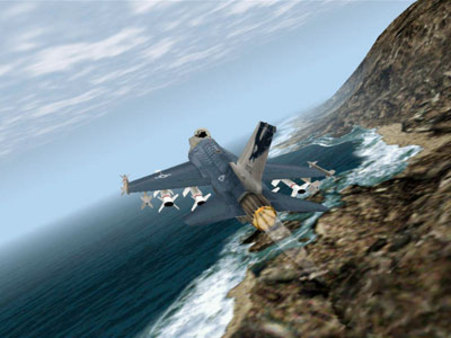
Screenshots
How to Install F 16 Multirole Fighter?
- Download: Get the installer only from the official developer or a verified store.
- Run Setup: Double-click the official .exe file and follow the prompts.
- Default Path: Install to the recommended folder to ensure proper system permissions.
- Update: Run the game launcher to download any official security patches.
- Launch: Open the game via the official desktop shortcut.