Apunkagames Official Site – Games Download For PC Apunkagames Official Site — Discover detailed PC game guides, accurate system requirements, screenshots, and verified official download links for top Windows games.
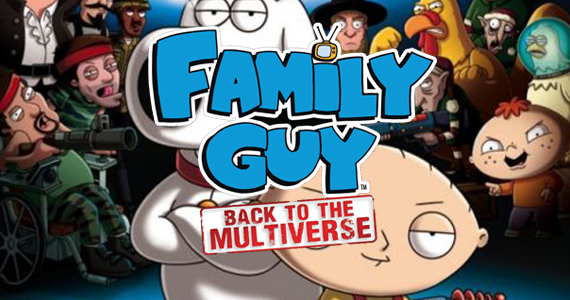
Family Guy Back to the Multiverse is a 2012 action-adventure video game based on the hit animated television series. Developed by Heavy Iron Studios, the game acts as a sequel to the popular season eight episode, “Road to the Multiverse.” Players control Stewie Griffin and Brian Griffin as they travel across various parallel universes to stop Stewie’s evil half-brother, Bertram, who is bent on destroying their home universe.
The gameplay heavily features cooperative mechanics, allowing two players to team up or a single player to swap between Stewie and Brian on the fly. Each character has a unique arsenal of weapons that matches their personality; Stewie utilizes high-tech gadgets like a ray gun and plasma rifle, while Brian relies on more conventional firearms and explosives. The levels are designed around distinct, satirical themes, such as a universe ruled by seniors or one overrun by a chicken apocalypse, capturing the show’s signature pop-culture parodies.
Despite its faithful recreation of the show’s art style, humor, and voice talent—including Seth MacFarlane—the game received mixed reviews upon release. Critics often praised the voice acting and nostalgic fanservice but criticized the repetitive combat loops and dated platforming mechanics. It remains a notable piece of media for fans of the franchise looking to experience the show’s iconic multiverse concept interactively.
Before downloading make sure that your PC meets minimum system requirements
Minimum System Requirements
- OS: Windows XP / 8 / 10
- Processor: Intel Core 2 Duo E2180 at 2.0 GHz
- Memory: 2 GB RAM
- Graphics: NVIDIA GeForce 8800 GT with 256 MB VRAM
- DirectX: Version 9.0c
- Storage: 6 GB available space
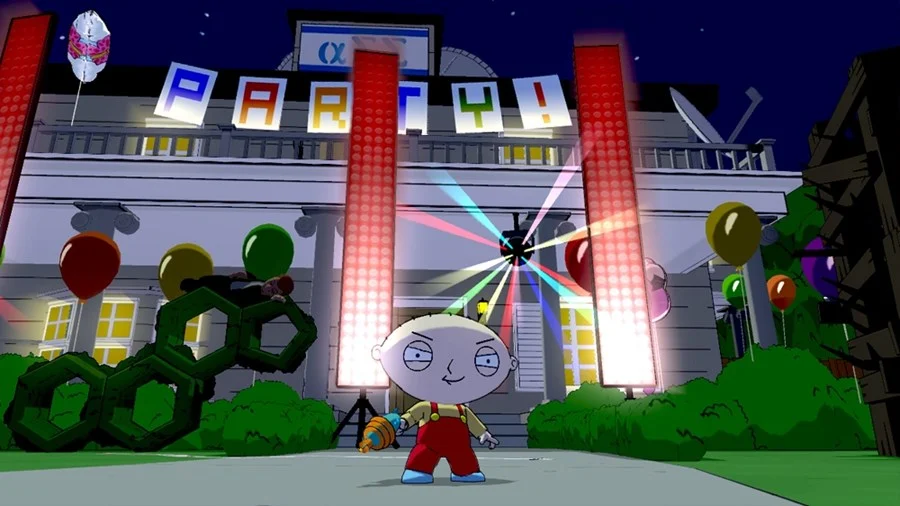
Screenshots

How to Install?
- Download: Get the installer only from the official developer or a verified store.
- Run Setup: Double-click the official .exe file and follow the prompts.
- Default Path: Install to the recommended folder to ensure proper system permissions.
- Update: Run the game launcher to download any official security patches.
- Launch: Open the game via the official desktop shortcut.