Apunkagames Official Site – Games Download For PC Apunkagames Official Site — Discover detailed PC game guides, accurate system requirements, screenshots, and verified official download links for top Windows games.

Farm Manager World is an immersive agricultural simulation game developed by Cleversan Games and published by PlayWay S.A. It invites players to step out of the traditional boundaries of localized farming and establish an expansive, multinational agribusiness empire. Instead of focusing on casual, cozy mechanics, the game challenges players with the real-world complexities of running a large-scale commercial agricultural operation.
Players are tasked with managing diverse operations across distinct global environments, including Europe and Central America, each presenting unique climates, soil qualities, and regional crops. Success depends heavily on scientific and strategic planning, as managers must conduct detailed soil research, apply correct fertilizers, and implement strict crop rotation schedules to maximize harvest yields. Beyond crop cultivation, the game features deep systems for animal husbandry, resource logistics, and hiring a skilled labor force to handle heavy machinery.
The gameplay is heavily driven by economic strategy, requiring players to build specialized factories to process raw harvests into premium goods through baking, freezing, and pickling. Budding entrepreneurs must also monitor fluctuating global market trends to buy and sell resources at optimal times for maximum profit. With options for organic farming and online co-op play, it provides a comprehensive experience for strategy enthusiasts.
Before downloading make sure that your PC meets minimum system requirements
Minimum System Requirements
- OS: Windows 7/8/10 (64-bit versions)
- Processor: Intel i5-8400, AMD Ryzen 5 2600
- Memory: 8 GB RAM
- Graphics: GTX 1650 4GB
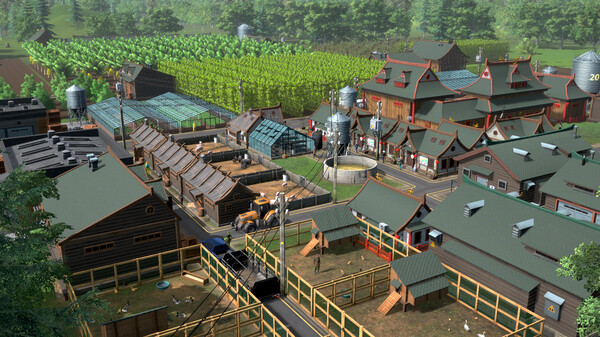
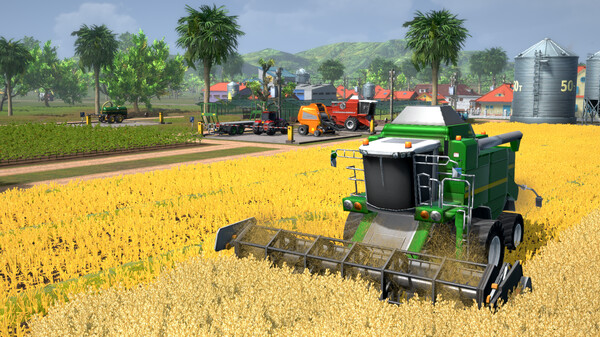
Screenshots
How to Install Farm Manager World?
- Download: Get the installer only from the official developer or a verified store.
- Run Setup: Double-click the official .exe file and follow the prompts.
- Default Path: Install to the recommended folder to ensure proper system permissions.
- Update: Run the game launcher to download any official security patches.
- Launch: Open the game via the official desktop shortcut.