Apunkagames Official Site – Games Download For PC Apunkagames Official Site — Discover detailed PC game guides, accurate system requirements, screenshots, and verified official download links for top Windows games.
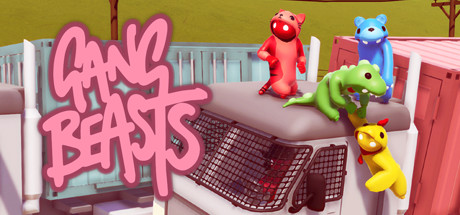
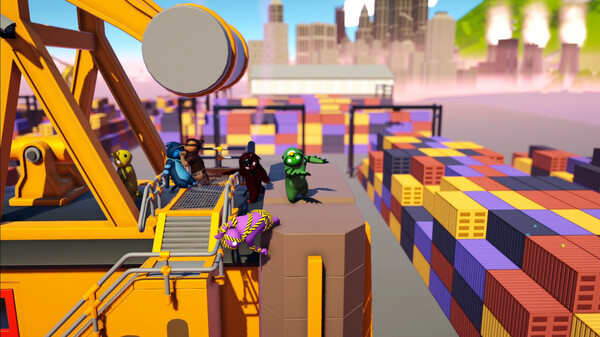
Gang Beasts is a hilarious, chaotic multiplayer party game developed by Boneloaf, where players control floppy, gelatinous characters in brutal yet comical melee fights. Set in the fictional, colorful metropolis of Beef City, the game focuses on physics-based brawling that leads to unpredictable and absurd character movements. The primary goal is simple but incredibly entertaining: you must grab, punch, kick, and throw your opponents out of the arena while trying desperately to avoid meeting the same fate yourself.
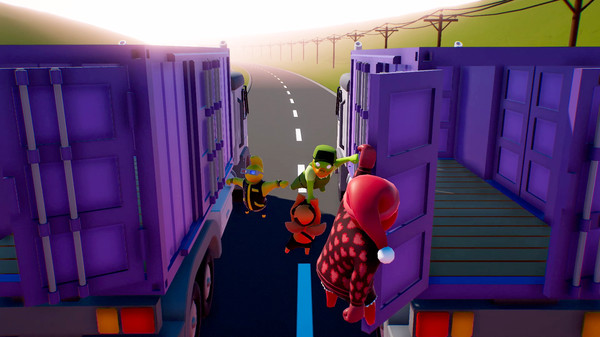
The charm of the gameplay lies heavily in its intentionally clunky, ragdoll physics engine, which makes every movement feel beautifully uncoordinated. Players battle across a variety of highly hazardous environments, including moving trucks, precariously balanced window-cleaning scaffolding, spinning Ferris wheels, and burning incinerators. These dynamic levels turn the environment itself into a deadly opponent, forcing players to balance their aggressive attacks with a constant struggle for grip and survival on crumbling structures.
Since its release on Steam, the game has become a staple for local couch co-op and online multiplayer gatherings, loved for its ability to generate endless laughter and friendly rivalries. With support for multiple players in free-for-all or team-based game modes, it thrives on the sheer ridiculousness of its combat. Whether you are clinging onto a ledge for dear life or lifting a friend to hurl them into a giant fan, it delivers pure, unadulterated party game fun.
Before downloading make sure that your PC meets minimum system requirements
Minimum System Requirements
- OS: Windows 7 / 8 / 10
- Processor: 2nd generation Core i3
- Memory: 4 GB RAM
- Graphics: Nvidia 8800 GT, AMD 5670
- Storage: 2 GB available space
Screenshots
How to Install Gang Beasts?
- Download: Get the installer only from the official developer or a verified store.
- Run Setup: Double-click the official .exe file and follow the prompts.
- Default Path: Install to the recommended folder to ensure proper system permissions.
- Update: Run the game launcher to download any official security patches.
- Launch: Open the game via the official desktop shortcut.