Apunkagames Official Site – Games Download For PC Apunkagames Official Site — Discover detailed PC game guides, accurate system requirements, screenshots, and verified official download links for top Windows games.

Global Farmer is an immersive top-down agricultural management game developed by Thera Bytes GmbH and published by Aerosoft GmbH. Unlike standard farming simulators that use fictional maps, this strategy title lets you establish your agricultural empire anywhere on Earth. By utilizing real-world geographical data from OpenStreetMap, you can set up fields in your own backyard, start a strawberry harvest in the French countryside, or challenge the harsh, sun-drenched terrains of South America.
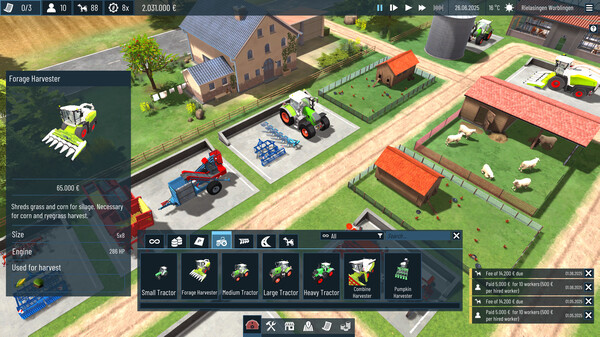
The core gameplay prioritizes high-level planning and resource management over direct machinery control. As a manager, you are responsible for constructing essential infrastructure, such as storage facilities, vehicle parking, and animal sheds for your livestock. Success heavily depends on analyzing complex environmental variables like daily temperature fluctuations, sunshine hours, and regional soil compositions. To maximize income and fulfill profitable local contracts, players must investigate field values and implement effective crop rotation strategies tailored to their specific global coordinates.
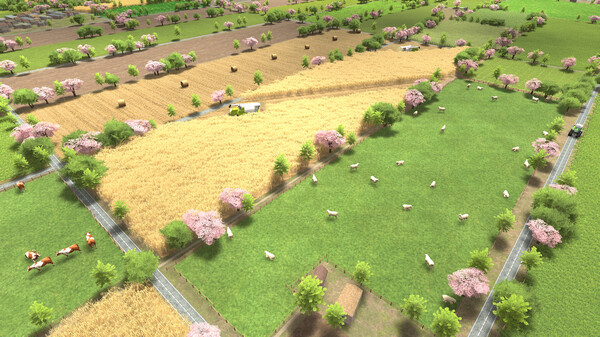
Presented in functional 3D graphics, the game offers a massive worldwide sandbox with a built-in map editor to customize geographic data. Players can acquire a large fleet of realistic tractors and harvesting equipment to manage multiple fields simultaneously across shifting seasonal demands. It provides a highly rewarding, strategic experience for tycoon enthusiasts looking to conquer the unique regional challenges of global agriculture.
Before downloading make sure that your PC meets minimum system requirements
Minimum System Requirements
- OS: Windows 10/11
- Processor: Intel Core i7-8700
- Memory: 12 GB RAM
- Graphics: UHD Graphics 630
- Storage: 4 GB available space
Screenshots
How to Install Global Farmer?
- Download: Get the installer only from the official developer or a verified store.
- Run Setup: Double-click the official .exe file and follow the prompts.
- Default Path: Install to the recommended folder to ensure proper system permissions.
- Update: Run the game launcher to download any official security patches.
- Launch: Open the game via the official desktop shortcut.