Apunkagames Official Site – Games Download For PC Apunkagames Official Site — Discover detailed PC game guides, accurate system requirements, screenshots, and verified official download links for top Windows games.
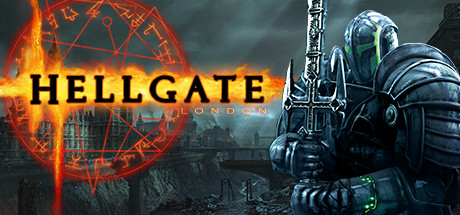
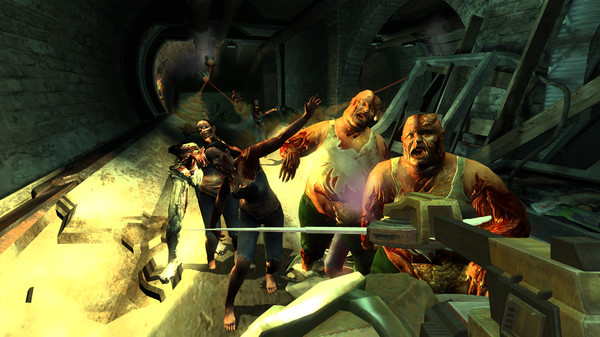
Hellgate London is a dark action role-playing game originally released as a pioneer of the looter-shooter genre. The game plunges players into a post-apocalyptic, near-future vision of 2038 where the city of London has been utterly devastated and overrun by terrifying demonic hordes. As one of the few surviving heroes, your primary objective is to venture into the ruined streets and subterranean underground tunnels to battle the forces of darkness and rescue humanity from extinction.
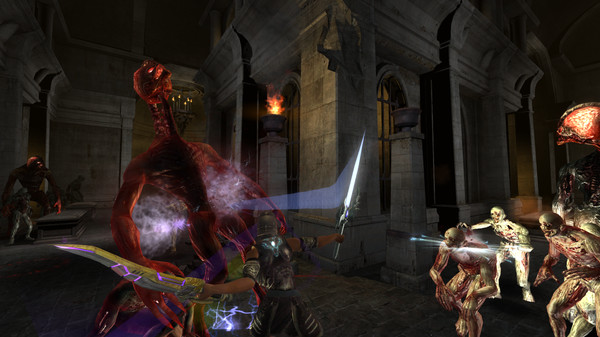
The gameplay combines deep RPG progression with action-heavy combat, allowing you to choose between six distinct character classes. Each class features its own unique combat skills and progression paths. To keep the experience fresh, the game relies heavily on a dynamic random generation system that populates the world with unpredictable dungeons, randomized quests, and thousands of pieces of rare, highly collectable loot. Players can freely customize their playstyle by swapping between first-person and third-person perspectives during combat.
This specific Steam release presents the game as a single-player optimized experience, bundling previous content alongside the Hellgate: Tokyo expansion. While it offers a great wave of nostalgia for returning fans who want to relive the classic hack-and-slash grind, user feedback remains mixed. Players frequently note that while the core gameplay loop is still highly addictive, this older version suffers from modern technical optimization bugs and lacks the original multiplayer servers.
Before downloading make sure that your PC meets minimum system requirements
Minimum System Requirements
- OS: Windows XP / 8 / 10
- Processor: 2 Ghz
- Memory: 2 GB RAM
- Graphics: NVIDIA GeForce 6800+
- DirectX: Version 9.0
- Storage: 8 GB available space
Screenshots
How to Install Hellgate London?
- Download: Get the installer only from the official developer or a verified store.
- Run Setup: Double-click the official .exe file and follow the prompts.
- Default Path: Install to the recommended folder to ensure proper system permissions.
- Update: Run the game launcher to download any official security patches.
- Launch: Open the game via the official desktop shortcut.