Apunkagames Official Site – Games Download For PC Apunkagames Official Site — Discover detailed PC game guides, accurate system requirements, screenshots, and verified official download links for top Windows games.
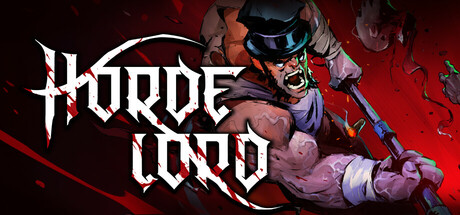
Hordelord is a fast-paced, high-octane indie arena shooter released in August 2025 that acts as a standalone, wave-based companion to the dark fantasy FPS Gravelord. Developed and published by Fatbot Games, the title channels old-school boomer shooter energy, dropping players into intense arenas to face aggressive, gory waves of monstrous enemies.
For PC players, the gameplay loop is built entirely around momentum, micro-positioning, and reflex-driven mechanics. To survive both the structured Horde Mode and the escalating Endless Mode, players must master fluid movement options like multi-jump boots, map-placed jumpers, and a spectral shovel. The combat features six distinct, punchy weapons that support powerful unlockable alt-attacks. Run variety is driven by a deep deck-building mechanic where players equip randomized Tarot Cards to gain unique stat boosts, damage perks, and defensive synergies that drastically alter combat efficiency.
Visually, the game offers a grim, stylized aesthetic complete with exploding limbs and satisfying blood splatter. The engine runs smoothly on mid-range hardware and scales flawlessly on portable devices like the Steam Deck. The digital package requires 4 GB of standard installation space (6 GB recommended) on your hard drive or solid-state drive (SSD) to start clearing the arena.
Before downloading make sure that your PC meets minimum system requirements
Minimum System Requirements
- OS: Windows 10 (64-bit)
- Processor: 2.5 Ghz Intel Core 2 Duo Processor
- Memory: 4 GB RAM
- Graphics: NVIDIA GeForce 400 series 512 MB video card
- DirectX: Version 11
- Storage: 4 GB available space
Screenshots
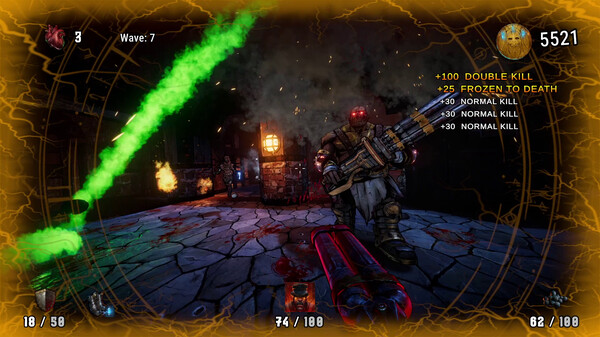
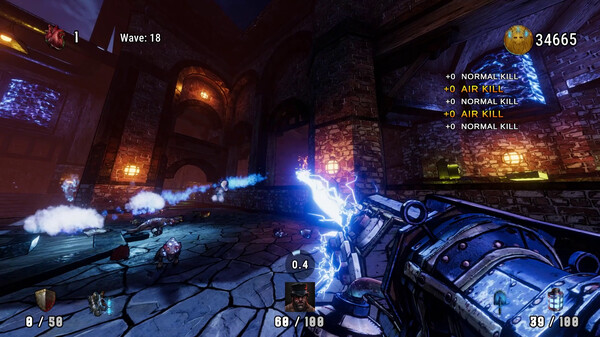
How to Install Hordelord?
- Download: Get the installer only from the official developer or a verified store.
- Run Setup: Double-click the official .exe file and follow the prompts.
- Default Path: Install to the recommended folder to ensure proper system permissions.
- Update: Run the game launcher to download any official security patches.
- Launch: Open the game via the official desktop shortcut.