Apunkagames Official Site – Games Download For PC Apunkagames Official Site — Discover detailed PC game guides, accurate system requirements, screenshots, and verified official download links for top Windows games.

Isla de la Muerte is an intense first-person survival game developed and published by Ashwake Interactive. Released into Early Access on Steam, the game strands players on a remote, forgotten island where a secret government experiment has gone horribly wrong. Officially erased from public records, this desolate land is now entirely overrun by relentless hordes of zombies, forcing you to uncover the mystery behind the outbreak while fighting to stay alive.
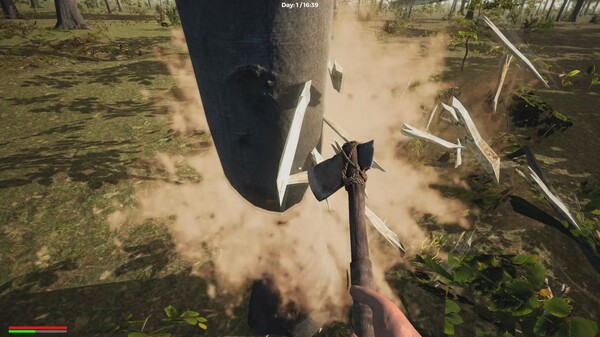
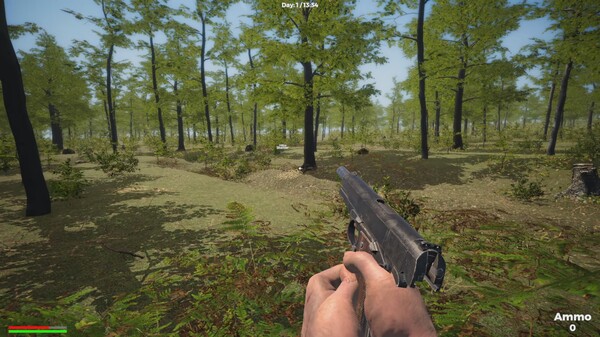
The core gameplay centers around classic survival mechanics that challenge your resourcefulness. To withstand the harsh environment, you must manage your hunger, thirst, and overall health while meticulously looting abandoned houses and searching the dense forests. The game allows you to hunt wild animals, fish in the nearby river, and gather raw resources. These materials are vital for building secure bases, crafting deadly weapons, setting traps, and reinforcing barricades against the undead.
Player reception for the title remains mixed, as early adopters highlight both its potential and its rough edges. The progression cycle incorporates a challenging day-and-night dynamic, where the arrival of darkness significantly increases the danger and aggression of the lurking zombies. While some players enjoy the fundamental crafting and atmosphere, others note that the initial release lacks a proper tutorial and suffers from early access bugs that the developer will need to address.
Before downloading make sure that your PC meets minimum system requirements
Minimum System Requirements
- OS: Windows 10/11 (64-bit)
- Processor: 2.4 Ghz Dual Core CPU
- Memory: 4 GB RAM
- Graphics: 2 GB Dedicated Memory
- Storage: 8 GB available space
Screenshots
How to Install Isla de la Muerte?
- Download: Get the installer only from the official developer or a verified store.
- Run Setup: Double-click the official .exe file and follow the prompts.
- Default Path: Install to the recommended folder to ensure proper system permissions.
- Update: Run the game launcher to download any official security patches.
- Launch: Open the game via the official desktop shortcut.