Apunkagames Official Site – Games Download For PC Apunkagames Official Site — Discover detailed PC game guides, accurate system requirements, screenshots, and verified official download links for top Windows games.
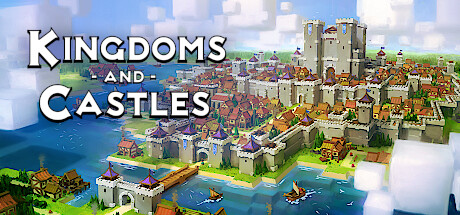
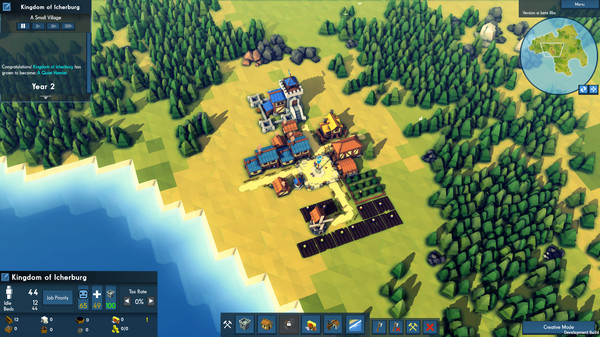
Kingdoms and Castles is a charming and highly addictive city-building simulation game released in 2017 that tasks you with growing a tiny, vulnerable hamlet into a sprawling, prosperous medieval empire. Developed by Lion Shield, the gameplay revolves around a delicate balance of resource management, strategic city planning, and defense grid layout to ensure your kingdom survives the harsh realities of a beautiful but dangerous world.
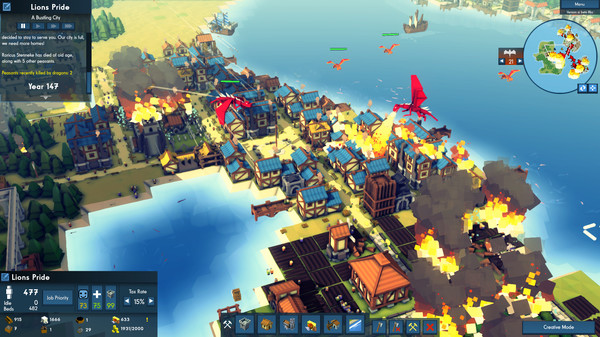
For PC players, the mechanical loop focuses on expanding your infrastructure while keeping your peasants happy and fed. You must manage food production, wood harvesting, and stone mining while surviving dynamic changing seasons. However, growth attracts danger; your kingdom will face random, devastating Viking raids and massive, fire-breathing dragons. To counter these threats, the game features a deep, modular castle-building system where you can freely stack stone walls, place archer towers, and mount powerful ballistas to protect your citizens.
Visually, the game utilizes a vibrant, minimalist low-poly art style that looks gorgeous and runs flawlessly on almost any PC configuration. The dynamic weather effects and seasonal changes bring your bustling kingdom to life. The entire digital installation is incredibly lightweight, requiring only 1 GB of available storage space on your hard drive or solid-state drive (SSD) to begin building your empire.
Before downloading make sure that your PC meets minimum system requirements
Minimum System Requirements
- OS: Windows XP/Vista/7/8/8.1 (64-bit)
- Processor: Intel Core 2 Duo, 2.0GHz
- Memory: 4 GB RAM
- Graphics: nVIDIA GeForce GTX 260 256mb
- DirectX: Version 11
- Storage: 1 GB available space
Screenshots
How to Install Kingdoms and Castles?
- Download: Get the installer only from the official developer or a verified store.
- Run Setup: Double-click the official .exe file and follow the prompts.
- Default Path: Install to the recommended folder to ensure proper system permissions.
- Update: Run the game launcher to download any official security patches.
- Launch: Open the game via the official desktop shortcut.