Apunkagames Official Site – Games Download For PC Apunkagames Official Site — Discover detailed PC game guides, accurate system requirements, screenshots, and verified official download links for top Windows games.
KovaaKs is widely recognized as the premier aim trainer designed for PC gamers looking to elevate their performance in first-person and third-person shooters. Originally launched to help players master mouse control, it has evolved into a highly sophisticated simulation platform used by competitive esports athletes and casual players alike. The software features an incredibly responsive physics engine that perfectly mimics the input mechanics and sensitivity profiles of major titles like Apex Legends, Fortnite, and Valorant, making it an indispensable asset for serious aim optimization.
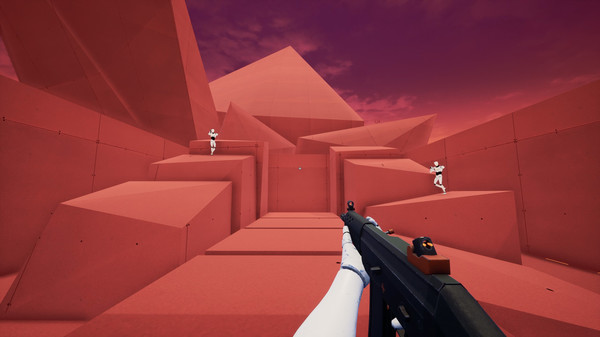
The true strength of the platform lies in its massive, community-driven content library, which boasts tens of thousands of custom training scenarios. Players can target very specific mechanics, such as tracking fast-moving targets, clicking static dots with absolute precision, or managing quick target switching under pressure. Additionally, the software provides highly detailed, real-time performance analytics, tracking metrics like accuracy, reaction time, and horizontal mouse smoothness, which help users identify the exact weaknesses in their mechanics.
Beyond simple muscle memory drills, the application serves as an advanced sandbox where users can fully customize their training environments. You can alter map geometry, adjust target size and movement patterns, and create highly tailored routines to simulate specific combat encounters. By combining hyper-customizable maps with an active community of aim coaches and shared playlists, it transforms raw mechanical practice into an structured, measurable science.
Before downloading make sure that your PC meets minimum system requirements
Minimum System Requirements
- OS: Windows 10 / 11 64-bit
- Processor: Intel Core i3 or AMD Phenom X3 865
- Memory: 4 GB RAM
- Graphics: Nvidia GeForce GTX 460
- DirectX: Version 11
- Network: Broadband Internet connection
- Storage: 7 GB available space
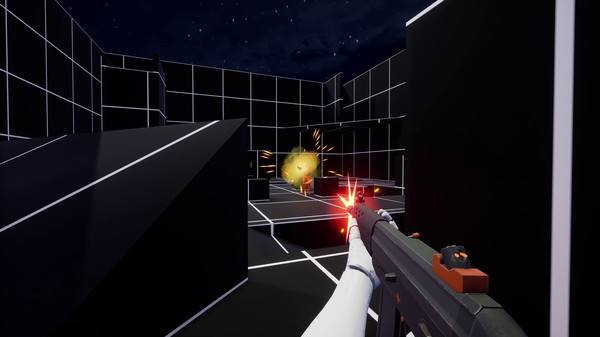
Screenshots
How to Install KovaaKs?
- Download: Get the installer only from the official developer or a verified store.
- Run Setup: Double-click the official .exe file and follow the prompts.
- Default Path: Install to the recommended folder to ensure proper system permissions.
- Update: Run the game launcher to download any official security patches.
- Launch: Open the game via the official desktop shortcut.