Apunkagames Official Site – Games Download For PC Apunkagames Official Site — Discover detailed PC game guides, accurate system requirements, screenshots, and verified official download links for top Windows games.

Painkiller is an intense, dark fantasy first-person shooter released in October 2025 that serves as a modern reimagining of the classic, adrenaline-fueled franchise. Developed by Anshar Studios and published by 3D Realms, the dark sci-fi narrative traps players inside the grim borders of Purgatory. Sentenced for your Earthly transgressions, the Voice of the Creator grants you a singular opportunity for redemption: step up as a divine Champion to dismantle the fallen angel Azazel and his towering Nephilim armies before they breach reality.
For PC players, this iteration evolves the traditional solo arena-shooter formula into a highly cooperative, wave-based horde shooter designed for up to three players. You choose between four distinct playable Champions—Ink, Void, Sol, and Roch—each possessing specialized elemental perks to boost team utility. The core mechanical loop blends rapid jumping, dashing, and grappling hooks with an arsenal of seven devastating weapons alongside the iconic Black Tarot card system to enhance player stats. For endless endgame replayability, a dedicated Rogue Angel Mode serves up intense, randomized survival arenas.
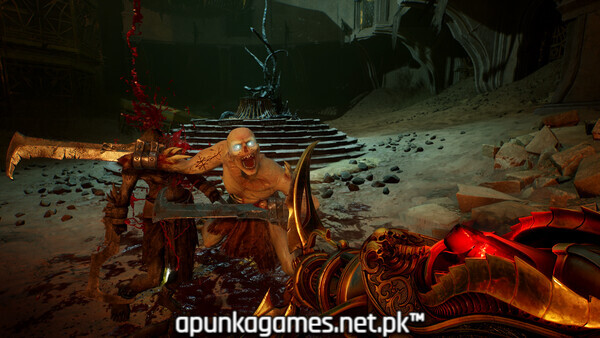
Visually, the game utilizes Unreal Engine to render stunning, atmospheric gothic biomes teeming with grotesque demonic swarms. The optimized PC port includes cross-platform multiplayer, fully customizable control schemes, and robust graphics options. The complete digital installation requires 30 GB of available storage space on your hard drive or solid-state drive (SSD) to deploy.
Before downloading make sure that your PC meets minimum system requirements
Minimum System Requirements
- OS: Windows 10 / 11 (64-bit)
- Processor: Intel i5-9400F or AMD Ryzen 5 2600X
- Memory: 16 GB RAM
- Graphics: NVIDIA GeForce GTX 1660 Super
- DirectX: Version 12
- Network: Broadband Internet connection
- Storage: 30 GB available space
Screenshots

How to Install Painkiller?
- Download: Get the installer only from the official developer or a verified store.
- Run Setup: Double-click the official .exe file and follow the prompts.
- Default Path: Install to the recommended folder to ensure proper system permissions.
- Update: Run the game launcher to download any official security patches.
- Launch: Open the game via the official desktop shortcut.