Apunkagames Official Site – Games Download For PC Apunkagames Official Site — Discover detailed PC game guides, accurate system requirements, screenshots, and verified official download links for top Windows games.

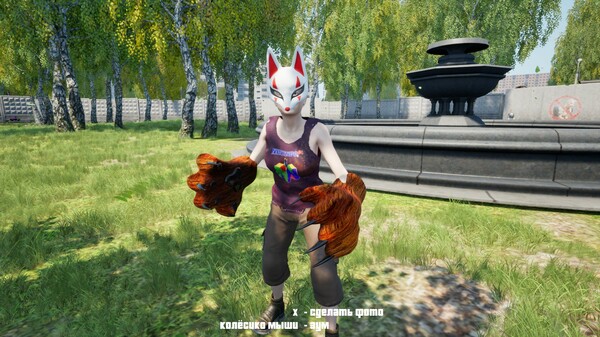
Quadrober Simulator is an unconventional, highly satirical simulation indie game developed by PropilGames and published alongside VD Games. Taking a highly ironic plunge into a modern youth subculture, the game places players into the virtual pelt of a quadrober—a person acting like a hybrid creature blending the playful, chaotic traits of a dog, cat, or fox. The objective is completely detached from typical survival metrics, focusing instead on embracing sheer absurdity and exploring a colorful, loose world designed around comedic irony and modern youth memes.
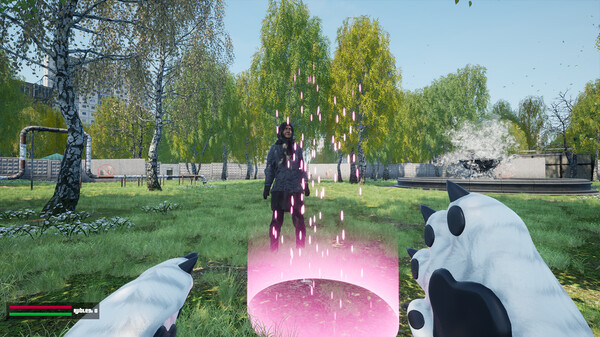
The gameplay is structured around freeform exploration and a series of hilarious, rule-breaking activities that keep the experience feeling unpredictable. Players can engage in bizarre tasks such as showing others how to properly jump on hobbyhorses, fetching sticks to deliver to a virtual grandmother, and spray-painting graffiti across the map. To expand the chaos, you can bite characters you do not like or actively convert other unsuspecting kids into fellow quadrobers, building a small army to amplify the carefree mayhem throughout the neighborhood.
Beyond simple mischief, the title incorporates elements of comical social clash and environmental survival against ridiculous odds. Players must constantly stay on their toes to avoid being caught by doctors who threaten to institutionalize them, while simultaneously getting into absurd fistfights or confrontations with “scoofs.” With its casual RPG mechanics, achievements, and multiple narrative endings, the experience offers a breezy, laugh-out-loud escape that encourages players to stop taking reality so seriously and simply enjoy the freedom of unrestrained whimsy.
Before downloading make sure that your PC meets minimum system requirements
Minimum System Requirements
- OS: Windows 7 / 8
- Processor: Intel i5-2500k
- Memory: 8 GB RAM
- Graphics: GeForce GTX 1050 4 GB
- DirectX: Version 12
- Storage: 5 GB available space
Screenshots
How to Install Quadrober Simulator?
- Download: Get the installer only from the official developer or a verified store.
- Run Setup: Double-click the official .exe file and follow the prompts.
- Default Path: Install to the recommended folder to ensure proper system permissions.
- Update: Run the game launcher to download any official security patches.
- Launch: Open the game via the official desktop shortcut.